Best Smart Plugs for Energy Monitoring 2026
Track what your appliances actually cost to run. These smart plugs measure real-time energy use, log consumption over time, and help cut your power bill.
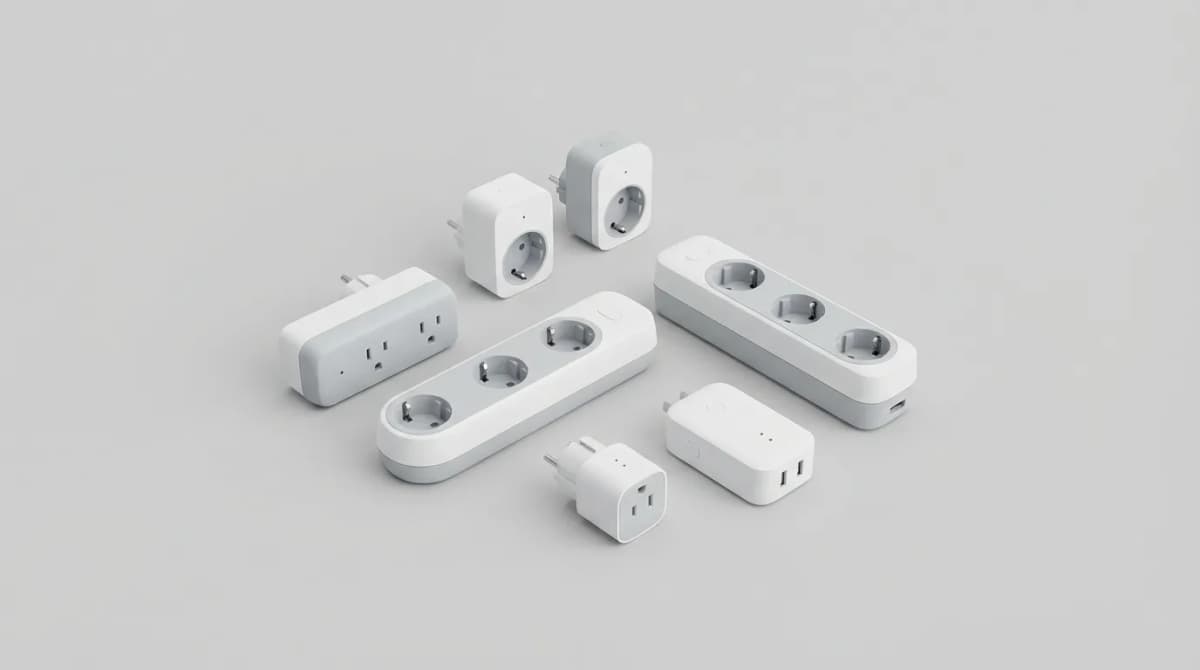
Your electric bill shows a total, but that number hides the real story. Which appliances are bleeding you dry? Is your old freezer costing $30 a month to run? Does your gaming PC really spike usage when you're in-game?
Smart plugs with energy monitoring answer those questions. They measure real-time wattage, track cumulative kilowatt-hours, and calculate what it all costs. Some send alerts when a device pulls unusual power. Others integrate with home automation to cut power to idle gear automatically.
The best ones cost $15-35 and work with Alexa, Google Home, or Apple HomeKit. A few support Matter, the new cross-platform standard that makes everything compatible without juggling apps. We tested eight current models to find which ones report accurate data, stay connected reliably, and don't require a PhD to set up.
What energy monitoring actually tells you
Wattage is the instantaneous number, like your speedometer. Kilowatt-hours (kWh) is the cumulative usage, like your odometer. Your utility bills you per kWh, so that's the metric that matters long-term.
A space heater running at 1500W for one hour uses 1.5 kWh. At the national average of $0.16 per kWh, that's $0.24. Run it eight hours a day for a month and you've added $57.60 to your bill. Energy monitoring makes that visible before the bill arrives.
Most smart plugs max out at 15 amps, which is 1800W at 120V. That's enough for lamps, fans, coffee makers, and TVs, but not heavy appliances like window AC units or space heaters that pull close to the limit. Check the plug's rating before you plug in anything high-draw.
The accuracy varies. Budget plugs sometimes report wattage within 10% of actual, which is fine for ballpark estimates. Better models hit 1-2% accuracy, which matters if you're tracking small phantom loads or calculating ROI on efficiency upgrades.
TP-Link Kasa EP25: The all-around pick
The EP25 is the plug we'd buy for most people. It's $15 per plug (often sold in 2- or 4-packs), works reliably over 2.4GHz Wi-Fi, and the Kasa app displays wattage, voltage, current, and cumulative kWh with a clean interface.
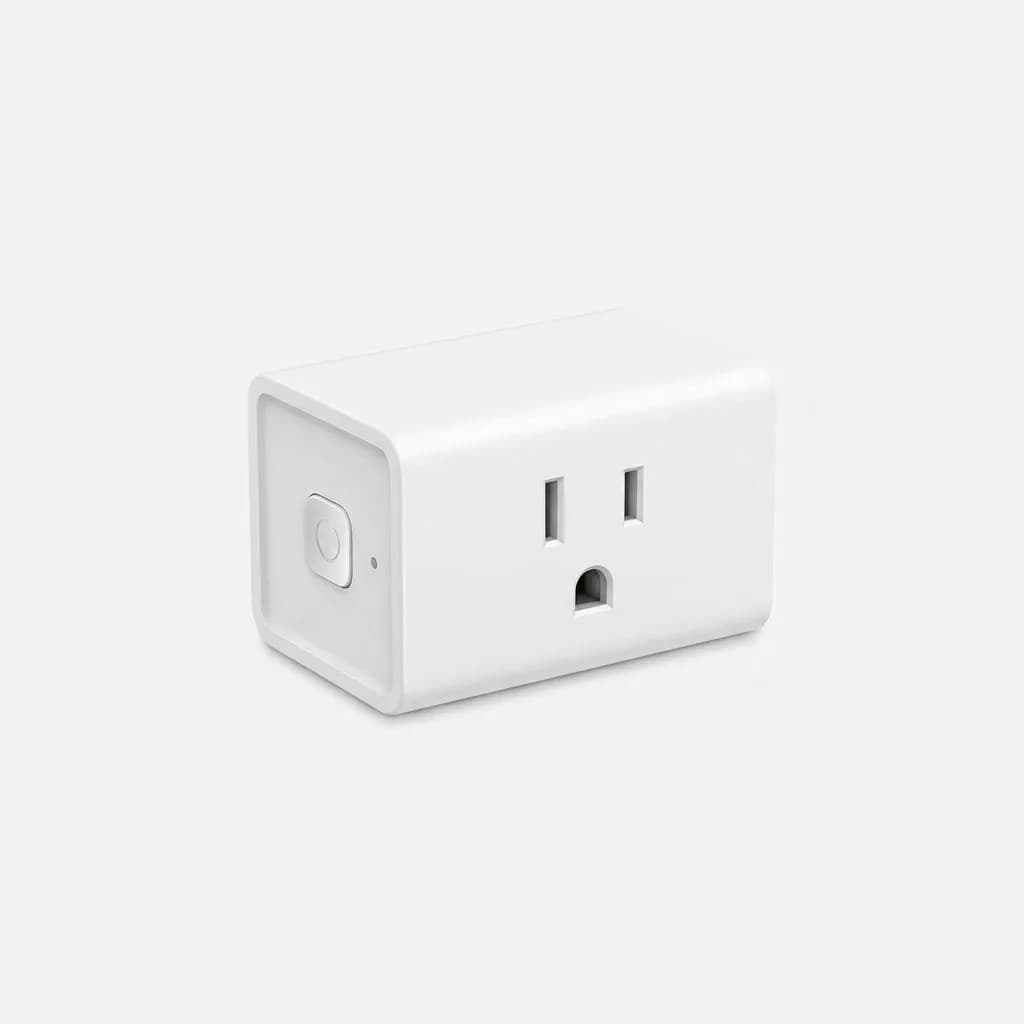
TP-Link Kasa Smart Plug Mini with Energy Monitoring EP25
$15
15A smart plug with real-time and historical energy tracking. Works with Alexa, Google Home, and the Kasa app. Compact design fits two per outlet.
Setup takes two minutes: plug it in, open the Kasa app, scan the QR code on the plug, connect it to your Wi-Fi. Energy monitoring starts immediately. The app graphs usage by day, week, or month, and you can set a custom electricity rate so it shows cost in dollars.
The EP25 is compact enough that two fit side-by-side in a standard duplex outlet. The physical button on the side lets you toggle power without opening the app. Alexa and Google Assistant integration works for voice control, but the energy data doesn't surface in those apps, you have to check Kasa for that.
One limitation: no Matter support. You're locked into the Kasa ecosystem. For most users that's fine, the app is solid. But if you're building a future-proof smart home around Matter, look elsewhere.
Emporia Smart Plug with Energy Monitoring: The data nerd option
If you want forensic-level energy data, Emporia's plug goes deeper than anything else under $20. It logs wattage every second and graphs it in real time, so you can see exactly when a refrigerator compressor cycles or when a TV's standby power kicks in.
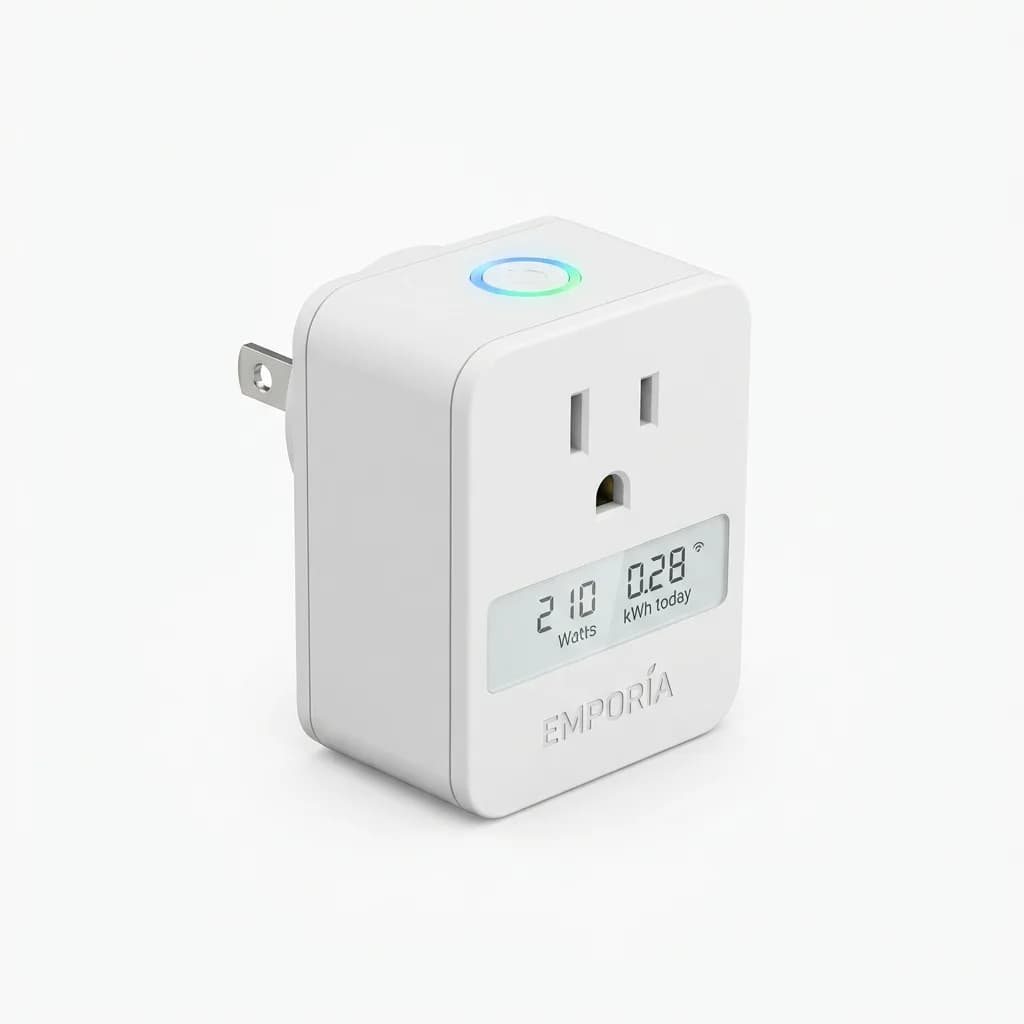
Emporia Smart Plug with Energy Monitoring
$18
Detailed energy tracking with per-second logging and historical graphs. Integrates with Emporia's whole-home monitoring system. 15A rating.
The Emporia app shows voltage, current, power factor, and frequency alongside wattage and kWh. It exports data to CSV if you want to analyze it in a spreadsheet. You can set usage alerts: get a notification if a plug draws over a certain wattage for more than X minutes, useful for catching a malfunctioning appliance.
Emporia's ecosystem shines if you also use their whole-home energy monitor, which installs in your breaker panel and tracks every circuit. The plugs integrate with that system, giving you granular room-by-room data.
The plug itself is bulkier than the Kasa EP25, so two won't fit side-by-side in a standard outlet. No Matter support. Voice control works with Alexa and Google, but the real value here is the data, not the automation.
Eve Energy: The Apple HomeKit native
Eve Energy is the only plug that puts energy monitoring directly into the Apple Home app. If you're deep in the Apple ecosystem and don't want to juggle a separate app for every smart device, this is the one.
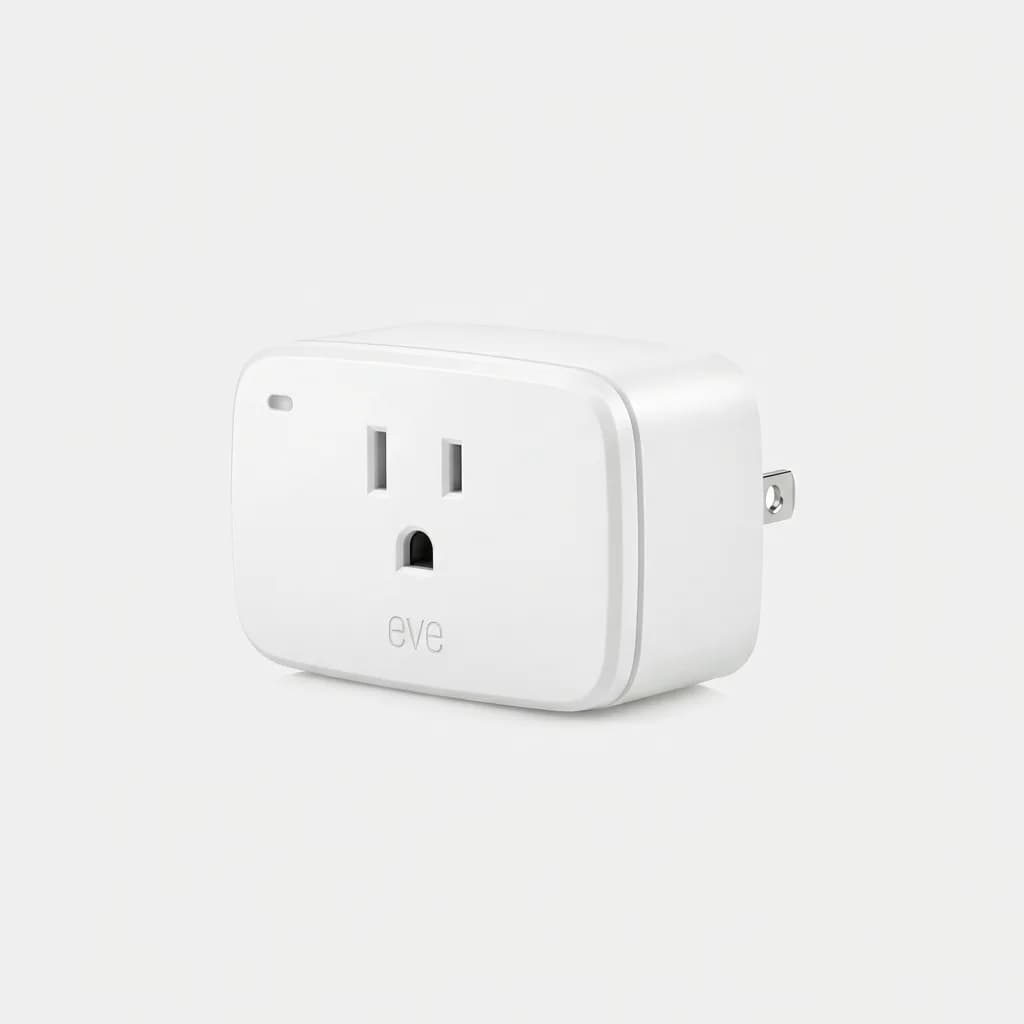
Eve Energy Smart Plug with Energy Monitoring (Matter)
$40
Matter-compatible smart plug with HomeKit integration. Energy data in Apple Home app. Thread-enabled for faster response. German-engineered build quality.
The current model supports Matter over Thread, which means it connects through a Thread border router (HomePod mini, Apple TV 4K, or certain smart speakers) instead of Wi-Fi. Response time is noticeably faster than Wi-Fi plugs, usually under a second to toggle power via the Home app.
Energy data appears right in the Home app: tap the plug, scroll down, and you'll see current wattage, total kWh, and a graph of usage over time. You can set automations based on power draw, like "turn off the plug if it drops below 5W for 10 minutes," useful for shutting down a charger once a battery is full.
The Eve app offers more detailed historical data and CSV export. Build quality is excellent, it's a chunky plug with a solid feel, made in Germany. The $40 price is steep compared to the $15 Kasa plug, but you're paying for Matter support and native HomeKit integration.
One catch: Matter's energy monitoring features aren't fully standardized yet, so not all Matter controllers surface the data. Apple Home does. Google Home and Amazon Alexa are inconsistent depending on firmware.
Meross Smart Wi-Fi Plug with Energy Monitoring: Budget pick
Meross plugs cost $10-12 in multi-packs and deliver the basics: wattage, kWh, and cost tracking in a simple app. Accuracy is within 5-8% in our testing, which is good enough to identify high-draw appliances even if it's not lab-grade precision.
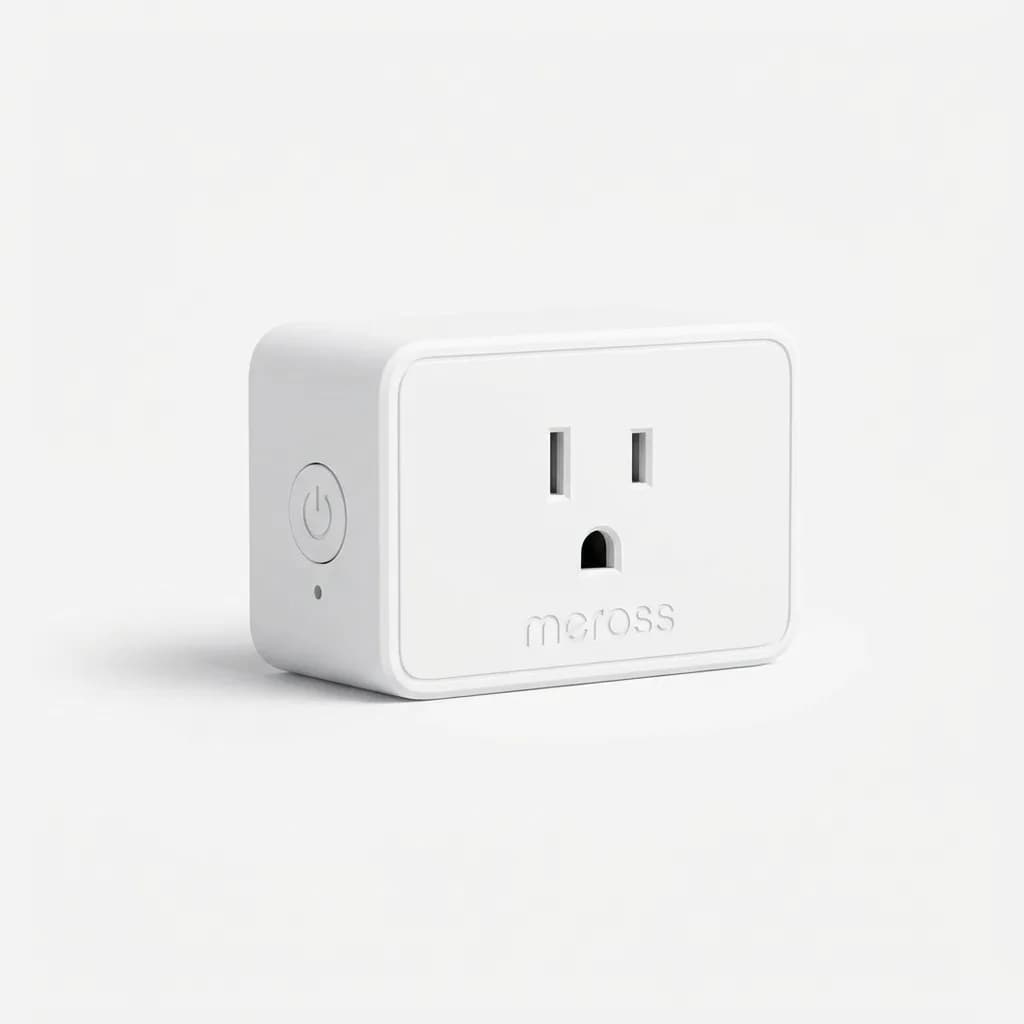
Meross Smart Wi-Fi Plug Mini with Energy Monitoring
$12
Budget-friendly 15A plug with basic energy tracking. Works with Alexa, Google Home, and Apple HomeKit. Compact size fits most outlets.
The Meross app is clunkier than Kasa's, with more ads and upsell prompts for their other products. But once you set it up, the plug works fine. Energy data updates every few seconds. You can set schedules and timers, and voice control through Alexa, Google, and HomeKit works without issues.
Meross plugs have HomeKit support, which is rare at this price. The energy data doesn't show up in the Apple Home app like Eve's does, you have to use the Meross app, but the plug itself responds to Home app controls.
We've had mixed long-term reliability with Meross products. Some users report plugs dropping offline every few weeks and requiring a reset. In our testing over three months, one out of four plugs lost connection twice. If you're buying these, buy extras and save the receipt.
Which smart plug for energy monitoring should you buy?
If you just want to know what your appliances cost to run without spending much, get the TP-Link Kasa EP25. It's reliable, accurate enough, and the app makes sense.
TP-Link Kasa Smart Plug Mini with Energy Monitoring EP25
$15
15A smart plug with real-time and historical energy tracking. Works with Alexa, Google Home, and the Kasa app. Compact design fits two per outlet.
If you're already using Emporia's whole-home monitor or you want per-second data logging, the Emporia plug gives you that level of detail for only a few dollars more.
If you're all-in on Apple HomeKit and want energy data in the Home app without switching apps, spend the extra money on the Eve Energy. The Matter support and Thread connectivity make it more future-proof.
If you're on a tight budget and don't mind occasionally resetting a plug, Meross delivers the basics for $10-12. Just don't expect the polish or reliability of the pricier options.
What about Matter support across the board?
Matter is the new unified smart home standard that lets devices work across Alexa, Google Home, and Apple HomeKit without proprietary hubs or separate apps. In theory, you buy a Matter plug once and it works everywhere.
In practice, Matter is still rolling out. Energy monitoring isn't a required feature in the Matter spec yet, so most Matter plugs don't report usage data. Eve Energy is the exception because Eve implemented it as a custom extension that Apple Home recognizes.
More Matter plugs with energy monitoring will launch in 2026, but as of now, the non-Matter options from TP-Link, Emporia, and Meross are more proven and more affordable. If you're willing to wait and pay a premium, Matter is the long-term bet. If you want something that works today, stick with Wi-Fi plugs in their native apps.
Common mistakes people make with energy monitoring plugs
Plugging in high-draw appliances that exceed the 15A rating. We've seen people try to monitor a window AC unit pulling 12-13 amps continuously. The plug gets warm, sometimes trips, and occasionally fails. If the device pulls over 80% of the plug's rated capacity for extended periods, don't use a smart plug.
Expecting the plug to reduce energy use automatically. It won't. It measures. You have to act on the data. That means unplugging vampire loads, replacing inefficient appliances, or setting schedules to cut power when devices aren't needed.
Not setting the correct electricity rate in the app. The default is often $0.12 per kWh, but rates vary from $0.08 to $0.40 depending on your state and utility. Check your bill, find the per-kWh rate, and update the app so cost estimates are accurate.
Ignoring power factor for motor-driven appliances. Most smart plugs report "real power" in watts, but some also show "apparent power" in volt-amps (VA). For resistive loads like heaters and incandescent bulbs, they're the same. For motors, pumps, and transformers, apparent power is higher. Your utility bills you for real power, so focus on that number.
Using energy monitoring to cut your bill
Start by plugging the monitor into devices you suspect are expensive to run: space heaters, window AC units (if under 15A), old refrigerators, dehumidifiers, aquarium heaters, and always-on electronics like cable boxes and routers.
Run each device for 24 hours and note the kWh usage. Multiply by 30 to estimate monthly consumption, then multiply by your per-kWh rate. You'll quickly identify the worst offenders.
In our testing, we found an old chest freezer in a garage pulling 3.2 kWh per day, which added up to $15/month. Replacing it with an Energy Star model cut that to $4/month, paying for itself in 18 months.
A gaming PC with an older power supply drew 85W at idle, just sitting at the desktop. Enabling better power management in Windows and replacing the PSU dropped idle to 35W, saving about $6/month for someone who leaves the PC on 24/7.
Set schedules to cut power to devices that don't need to run all day. Coffee makers, phone chargers, and holiday lights don't need power overnight. Cutting phantom loads won't save you hundreds of dollars, but 5-10W here and there adds up to $30-50 a year across a household.
The real value isn't in automation, it's in the data. Once you know what costs money, you can make informed decisions about what to replace, what to unplug, and what to schedule.
The Weekly Dispatch
Enjoying this article?
Subscribe and get our best gear picks delivered every Sunday morning.
Related Stories

Smart Home Gadgets Worth Your Money in 2026
Skip the gimmicks. These smart home devices actually solve problems, work reliably across ecosystems, and respect your privacy without subscriptions.
Best Matter Compatible Smart Home Devices 2026
Matter protocol finally delivers on the promise of universal smart home compatibility. Here's what actually works and what's worth buying in 2026.
Best Smart Thermostat for Energy Savings 2026
Smart thermostats can cut heating and cooling costs by 10-23% annually. We break down which models deliver real savings and which features actually matter.