Smart Locks for Renters: Best No-Drill Options
Installing a smart lock when you rent means finding options that don't require drilling, leave no damage, and come off cleanly when you move out.
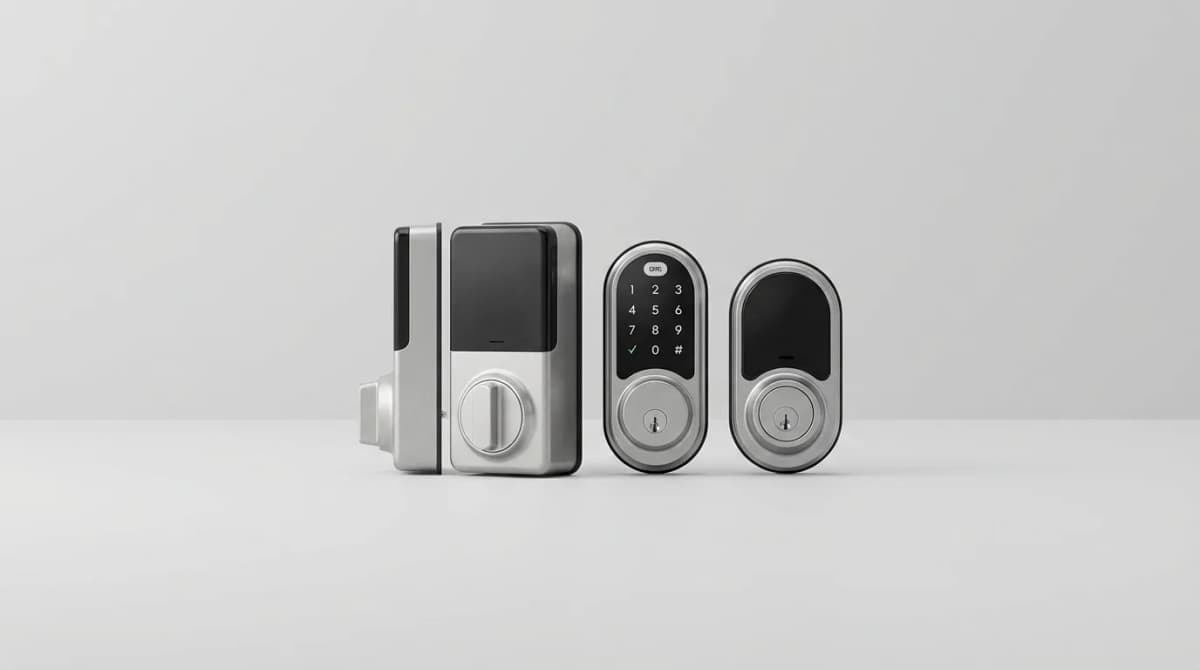
Most smart locks assume you own the place. They want you to swap the entire deadbolt, drill new holes, and commit to a permanent installation. But when you rent, that's not an option. You need something that mounts over the existing hardware, installs without tools, and leaves zero trace when you move out.
Quick Picks
Our top recommendations at a glance:
- 1August Wi-Fi Smart Lock (4th Generation)See current price
- 2Aqara U400 Smart LockSee current price
- 3Wyze Lock BoltSee current price
- 4Schlage Connect Keypad DeadboltSee current price
The good news is that several manufacturers now make retrofit smart locks specifically designed for renters. These attach to your existing deadbolt thumbturn from the inside, so your landlord's keys still work from outside. No drilling, no modifications, no security deposit deductions.
We compared eight retrofit smart locks for rental units. Some install cleanly. Others can struggle with thick doors, loose deadbolts, or connectivity issues that make them more frustrating than helpful.
Why Retrofit Smart Locks Work for Renters
Traditional smart locks replace your entire deadbolt assembly. That means removing the landlord's hardware, which violates most lease agreements. Retrofit models solve this by leaving the exterior completely untouched.
They mount over the interior thumbturn using an adapter plate secured with 3M adhesive. You turn the lock with your phone, a keypad, or voice commands. The landlord's physical key still works from outside exactly as before. When you move, you peel off the adhesive, reinstall the original thumbturn, and take the smart lock with you.
The catch is that retrofit designs have less control over the mechanical parts. If your existing deadbolt is loose, sticky, or misaligned, the smart lock can't compensate. Newer deadbolts tend to work best. Older hardware may need a few drops of graphite lubricant before the retrofit lock could turn it reliably.
Door thickness matters too. Most retrofit locks handle doors between 1.375 and 2 inches thick. Thicker fire-rated doors or thinner hollow-core doors fall outside that range and won't work.
August Wi-Fi Smart Lock (4th Generation)
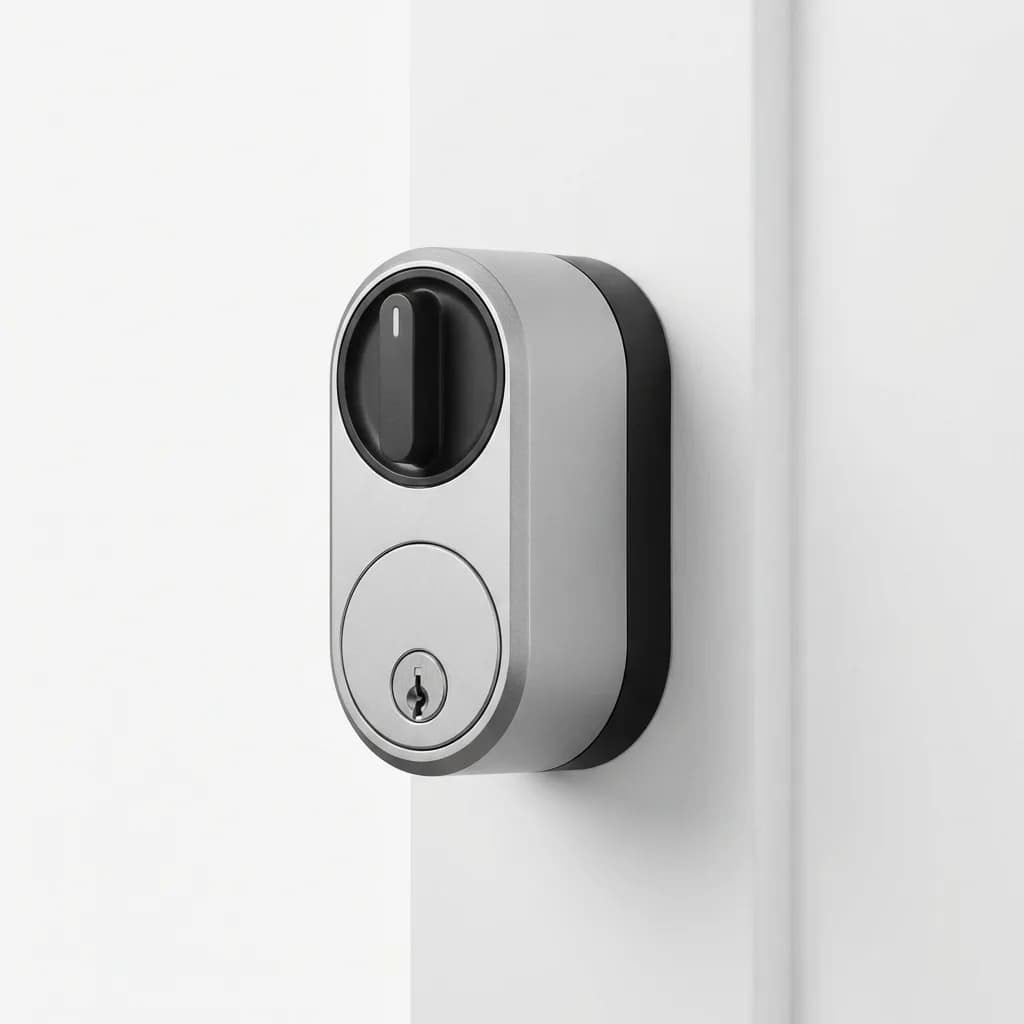
August pioneered the retrofit category and the fourth-generation model remains the most reliable option here. It mounts in under ten minutes with no tools required. The adapter fits most standard deadbolts, and the motor is strong enough to handle slightly sticky locks without jamming.
August Wi-Fi Smart Lock (4th Generation)
See current price
Retrofit design installs over existing deadbolt, built-in Wi-Fi eliminates need for bridge, works with Alexa and Google Assistant. Motor handles sticky locks reliably.
The built-in Wi-Fi is the main advantage over older August models. You don't need a separate bridge to control it remotely. The app shows lock status in real time and sends notifications when someone locks or unlocks the door. Auto-lock works consistently, which older models struggled with.
Battery life averages four months on four AA batteries. The lock chirps when batteries run low, giving you about two weeks to replace them. If batteries die completely, your physical key still works from outside.
The August app lets you create virtual keys for roommates, guests, or dog walkers. You can set time restrictions so a house sitter only has access during specific dates. The activity log shows exactly who unlocked the door and when, which is useful for package deliveries or maintenance visits.
DoorSense is an optional add-on sensor that detects whether the door is open or closed, not just whether it's locked. This prevents auto-lock from engaging while the door is still open. Without DoorSense, the lock can't tell if someone closed the door after unlocking it.
Aqara U400 Smart Lock
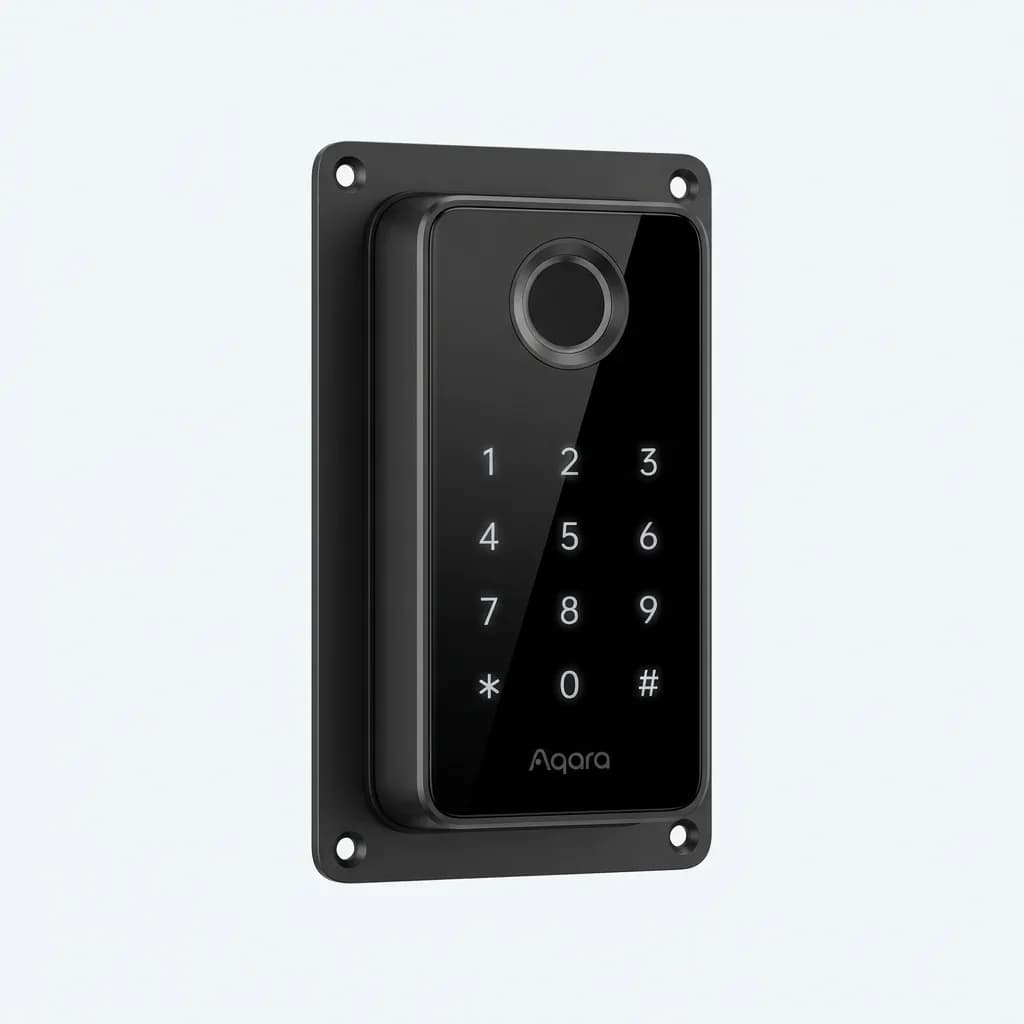
The Aqara U400 takes a different approach with a keypad and fingerprint reader mounted on the exterior. This technically isn't a pure retrofit since you're adding hardware to the outside of the door, but it doesn't replace the deadbolt. The landlord's keys still work, and removal leaves only four small screw holes that fill with standard wood filler.
Aqara U400 Smart Lock
See current price
Exterior keypad and fingerprint reader, supports 50 fingerprints and 100 PIN codes, Matter and HomeKit compatible. Requires drilling four small mounting holes.
The fingerprint reader is fast and accurate. We registered ten different fingerprints across two people and it recognized them instantly, even with damp hands. The capacitive sensor works better than the optical readers on cheaper locks.
PIN code entry supports up to 100 unique codes. You can assign temporary codes that expire after a set time or number of uses. This is cleaner than sharing virtual keys through an app, especially for short-term guests.
Matter support means the U400 works with Apple Home, Google Home, and Amazon Alexa without choosing an ecosystem. Setup through the Aqara app takes about 15 minutes, then you can control it through whichever voice assistant you prefer.
The tradeoff is installation complexity. You need to drill four holes through the door for the exterior mounting plate and run a cable from outside to inside. This is more involved than adhesive-only retrofit locks, and some landlords won't approve it. Check your lease before buying.
Wyze Lock Bolt
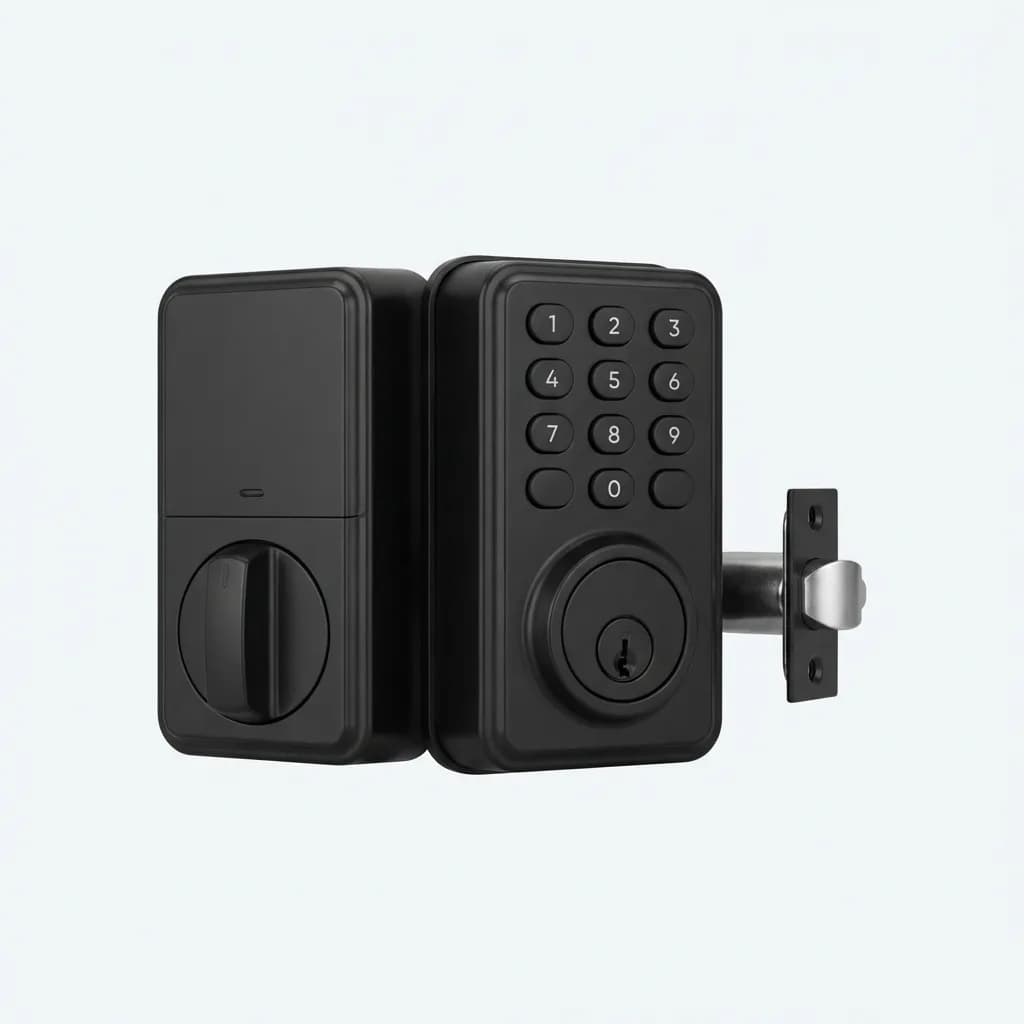
Wyze made a pure interior retrofit lock that costs half what August charges. The motor is noticeably weaker, so it struggles with older or sticky deadbolts. But if your existing hardware turns smoothly, the Lock Bolt delivers most of August's features at $90.
Wyze Lock Bolt
See current price
Budget retrofit option with app control and auto-lock, works with Alexa and Google Assistant. Weaker motor struggles with tight deadbolts. Requires separate Wyze gateway for remote access.
You need a Wyze gateway for Wi-Fi connectivity. If you already have Wyze cameras or sensors, this isn't an issue since you probably own the gateway. But if you're starting from scratch, add $20 for the hub. That narrows the price gap with August.
The app is straightforward. You can lock and unlock remotely, create guest access, and set auto-lock timers. Notifications arrive reliably when someone operates the lock. There's no DoorSense equivalent, so auto-lock engages based on time alone.
Installation uses the same adhesive adapter plate design as August, but the Wyze adapters feel flimsier. We had one adapter separate from the door after two months when the adhesive failed. Reapplying with fresh 3M tape fixed it, but August's mounting hardware felt more secure.
Battery life is shorter than August at about two months on four AA batteries. The lock doesn't always warn you before batteries die, so keep spares handy.
What About Keypad Entry Without Smart Features?
If you want keypad convenience without app control, bridge hubs, or Wi-Fi dependency, mechanical keypad deadbolts exist. They're not smart locks, but they solve the "I forgot my keys" problem without involving your phone.
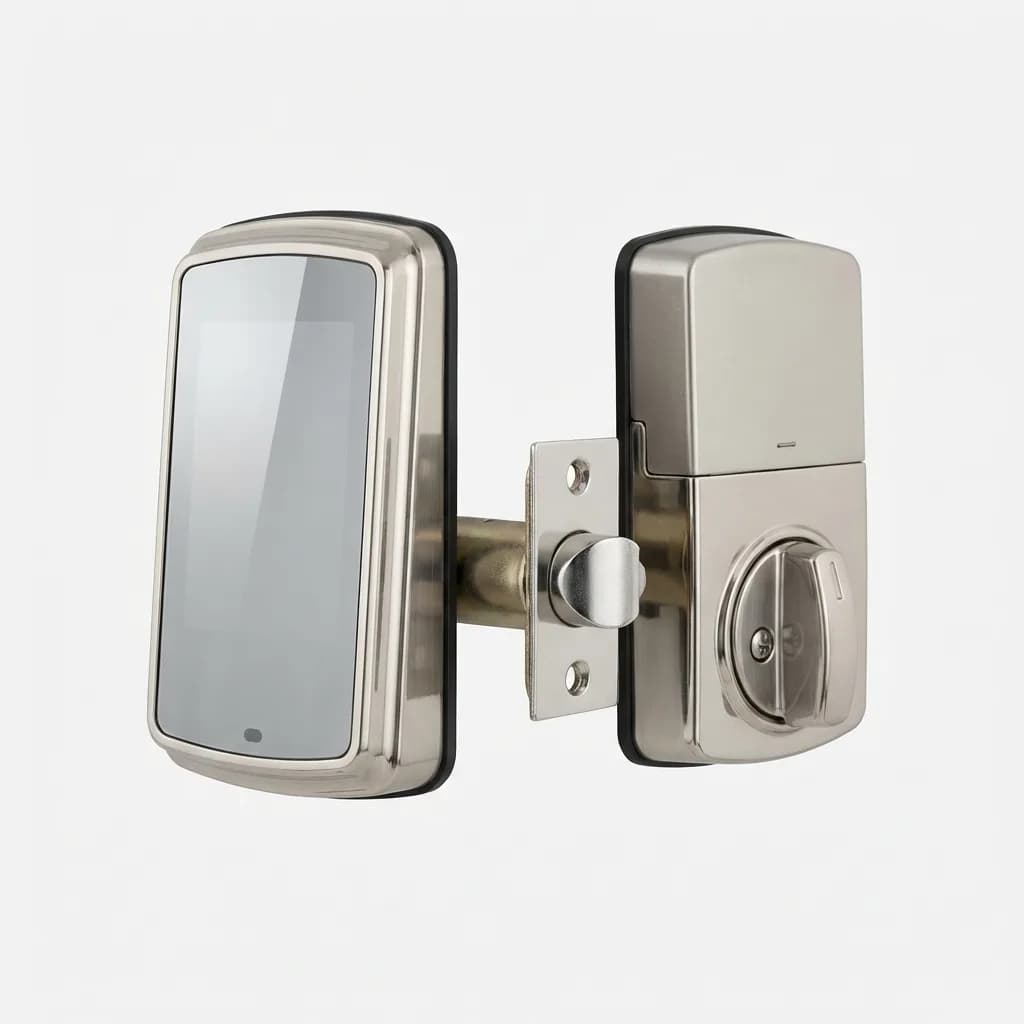
Schlage Connect Keypad Deadbolt
See current price
Battery-powered keypad deadbolt with Z-Wave connectivity, supports 30 user codes, installs like traditional deadbolt. Requires replacing landlord's hardware so not ideal for renters.
The problem for renters is that most keypad deadbolts require full installation, meaning you replace the landlord's lock. Schlage makes reliable hardware, but it's not a retrofit option. You'd need landlord approval and a plan to reinstall the original lock when you move out.
Some property management companies pre-install Schlage or Kwikset keypad locks in their units. If you're in that situation, you can usually reprogram the master code through the keypad itself. Check your lease or ask maintenance before changing codes.
How to Choose Based on Your Lease Terms
Read your lease section on alterations and modifications before buying anything. Most leases fall into one of three categories.
Strict no-modification leases prohibit anything that leaves marks or requires tools. For these, August or Wyze retrofit locks are your only options. They use adhesive and leave no permanent changes.
Moderate leases allow minor modifications that are easily reversible. The Aqara U400's four screw holes probably qualify, especially if you agree to fill and touch up the holes when you leave. Get written approval from your landlord first.
Permissive leases let you make changes as long as you restore the original condition when you move. These are rare, but if you have one, you can install traditional smart locks and swap back to the landlord's hardware at move-out. Keep the original parts in a labeled box so you don't lose them.
Installation Tips That Prevent Damage
Test your existing deadbolt before ordering a smart lock. It should turn smoothly with minimal resistance. If it sticks or grinds, spray the keyway with graphite lubricant (never WD-40, which attracts dirt). Let it sit for a few hours, then work the key in and out several times. If it's still sticky, the deadbolt might need replacement, which means you can't use a retrofit smart lock.
Clean the interior door surface with isopropyl alcohol before applying adhesive mounting plates. Dust and oils prevent adhesive from bonding properly. Let the alcohol dry completely before pressing the plate into place.
When mounting adhesive adapters, press firmly for 30 seconds and don't operate the lock for 24 hours. The adhesive needs time to cure. If you test it immediately, you'll weaken the bond.
Measure your door thickness before ordering. Most retrofit locks include spacers for doors between 1.375 and 2 inches, but you need to know which spacer to use. Too thin and the lock won't engage properly. Too thick and the motor strains.
Battery Life and Backup Access
All battery-powered smart locks fail to locked position when power dies. This means if you're inside, you can manually turn the lock. But if you're outside and the battery is dead, you need a physical key.
Keep a spare key hidden outside or with a trusted neighbor. Combination lockboxes attached to a porch railing work well. Don't use fake rocks or obvious hiding spots. Most package thieves know where to look.
Replace batteries before they die completely. Set a recurring phone reminder for every three months. If the lock chirps or the app shows low battery, swap them immediately. Waiting until they're fully dead can leave you locked out.
Some smart locks include a 9V backup terminal on the exterior. You can hold a 9V battery against the contacts to power the lock long enough to unlock it. This is a last resort when you're locked out without a physical key.
Which One Works Best for Most Renters
August Wi-Fi (4th Generation) is the safest choice for most rental situations. It installs without tools or drilling, works reliably with most standard deadbolts, and removes cleanly when you move. The built-in Wi-Fi eliminates the need for a separate hub, and the app is more polished than competitors.
If your landlord allows minor drilling and you want fingerprint access, the Aqara U400 offers better security and more access options. The exterior keypad means you don't need your phone to unlock the door, which is convenient when your hands are full or your phone is dead.
Wyze Lock Bolt works if you're on a tight budget and already own Wyze smart home products. The weaker motor and shorter battery life are acceptable tradeoffs at half the price of August.
Whatever you choose, test it thoroughly during the return window. Make sure it operates smoothly, connects reliably, and auto-locks consistently. If something feels off, return it and try a different model. A smart lock that only works half the time is worse than no smart lock at all.
The Weekly Dispatch
Enjoying this article?
Subscribe and get our best gear picks delivered every Sunday morning.
Related Posts
Best Solar Powered Security Camera No WiFi Needed
Solar security cameras with cellular connectivity eliminate WiFi dependence. We break down the best options for off-grid properties and remote locations.
Best Matter Compatible Smart Home Devices 2026
Matter protocol finally delivers on the promise of universal smart home compatibility. Here's what actually works and what's worth buying in 2026.

Google Nest Doorbell with Gemini AI Review 2026
Google's Nest Doorbell gets a major AI upgrade with Gemini. We break down its intelligence features, package detection and real-time alerts.
Best Smart Thermostat for Energy Savings 2026
Smart thermostats can cut heating and cooling costs by 10-23% annually. We break down which models deliver real savings and which features actually matter.