Can a PS4 Controller Work on PS5? Half Yes
On the console, a DualShock 4 plays PS4 games, not PS5 games. How to pair it, why Sony blocks it, and the Remote Play route, with sources.
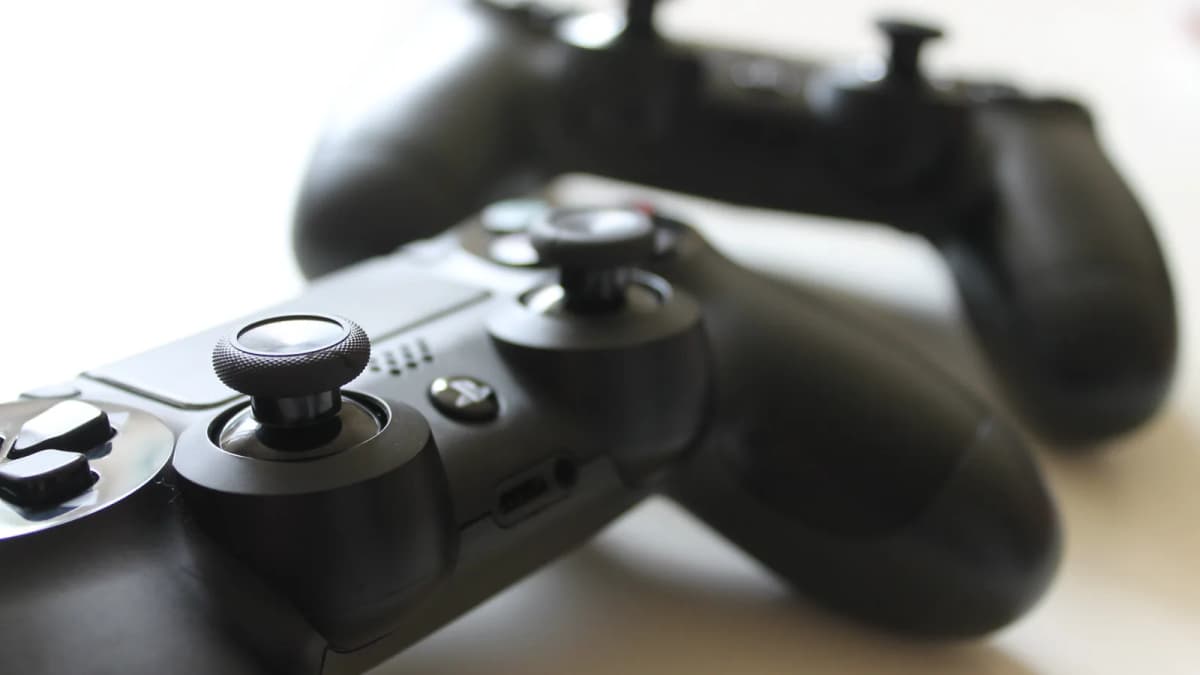
On the console, a DualShock 4 (DS4) works with PS4 games and not with PS5 games. Sony's Remote Play guide lists it for streaming PS5 games. Remote Play is Sony's app that streams games from your console to another device.
This guide is based on Sony's documentation and press reports. We ran no hardware tests, so we flag anything unconfirmed. Checked 2 Nov 2026.
GearOrbit may earn a commission from retailer links here, at no extra cost to you. See our affiliate disclosure.
The short version
- PS4 games: pair with micro-USB, not the USB-C cable from the PS5 box.
- PS5 games on the console: you need a DualSense or a licensed alternative.
- PS5 games over Remote Play: Sony lists the DS4 if the game supports it, with delay and possibly lost features.
The short answer: on the console, PS4 games yes, PS5 games no
Sony's PS5 manual says: "The DUALSHOCK®4 wireless controller is compatible with PlayStation®4 format software on the PS5 console, but not with PS5 format software on the PS5 console." Sony's launch, Digital, Slim and Pro documents carry the same sentence.
In one creator's 2021 video, a PS5 game opened but ignored the pad, with the notice "Can't use the DUALSHOCK 4 wireless controller to play PS5 games." We couldn't re-check that on 2026 firmware.
What a PS4 controller can do on PS5
- Play supported PS4 games. Sony says it "will work on PS5 consoles with supported PS4 games".
- Browse menus, per guides. GameRevolution says you can "navigate menus and apps".
- Play PS VR games. Sony: "For the best PS VR experience on PS5 we recommend using a DUALSHOCK®4 wireless controller." It adds: "Selected games may require PlayStation®Move motion controllers".
Sony's list of assist controllers, the second pad that helps a main player, doesn't include it.
How to connect a PS4 controller to PS5
With a cable
Sony's steps, cable spelled out:
- Make sure the console is on.
- Connect the pad with a USB-A to micro-USB cable.
- If the pad is off, press the PS button.
- After the light bar blinks and the player indicator lights up, you can unplug and play wirelessly once the pad has enough charge.
A DS4 takes "a compatible micro USB cable". The port depends on your console, per Sony's port guide:
| Console | Front USB | Back USB | Plug a USB-A cable in |
|---|---|---|---|
| Launch (CFI-1000) | USB-A, USB-C | 2 USB-A | Front or back |
| Slim, Pro (CFI-2000/7000) | 2 USB-C | 2 USB-A | Back |
We found no source confirming that a USB-C to micro-USB cable pairs a DS4, so on a Slim or Pro use the back. USB-A to micro-USB cable→
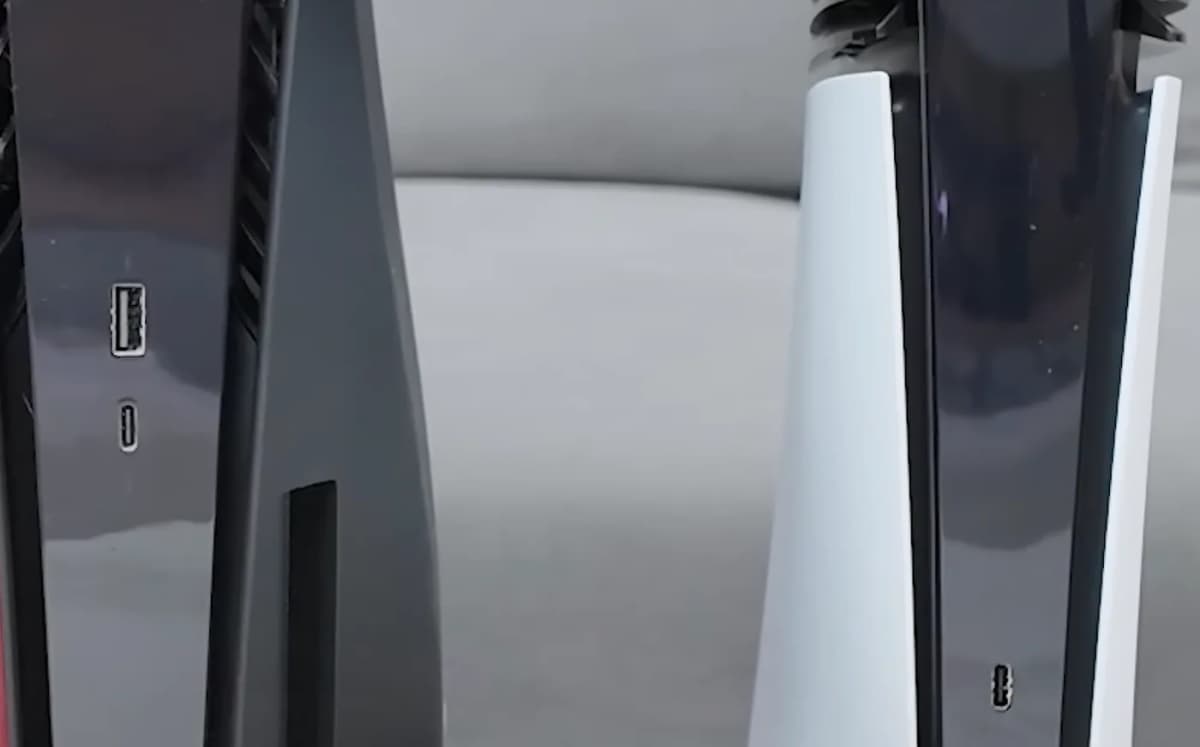
The Pro's second USB-C is out of frame. Photo, cropped: 阿金生活, CC BY 3.0.
With Bluetooth
Press guides such as Dexerto list a wireless route, with another pad connected to work the menu:
- Go to Settings > Accessories > General > Bluetooth Accessories.
- On the DS4, hold SHARE and the PS button until the light bar flashes.
- Select the DS4 and press X.
Sony publishes the menu path and button combination separately, for other uses. We couldn't confirm this route.
Without a PS5 controller
We couldn't confirm this. Sony's USB steps don't address first-time setup with no DualSense.
PS4 controller not connecting to PS5?
- It may be paired elsewhere. Sony: "your controller can pair with only one console at a time." Plug it in and press the PS button to reconnect.
- Try the reset hole. Sony's steps, written for a PS4: "Turn off and unplug your PS4 console", push the button "near the L2 button" with a small tool for "roughly 3-5 seconds", then plug the console in, connect the pad by USB and press the PS button.
CUH-ZCT1 or CUH-ZCT2: does your model matter?
Sony's compatibility statements name no model limit, and we found no first-hand report on a CUH-ZCT1. We found two differences on Sony's pages. "The light bar on the touch pad does not glow on the CUH-ZCT1 series." And in Settings > Accessories > Controller (General), a footnote on Communication Method, home of Use USB Cable, says: "This doesn't apply to CUH-ZCT1 series DUALSHOCK 4 wireless controllers."
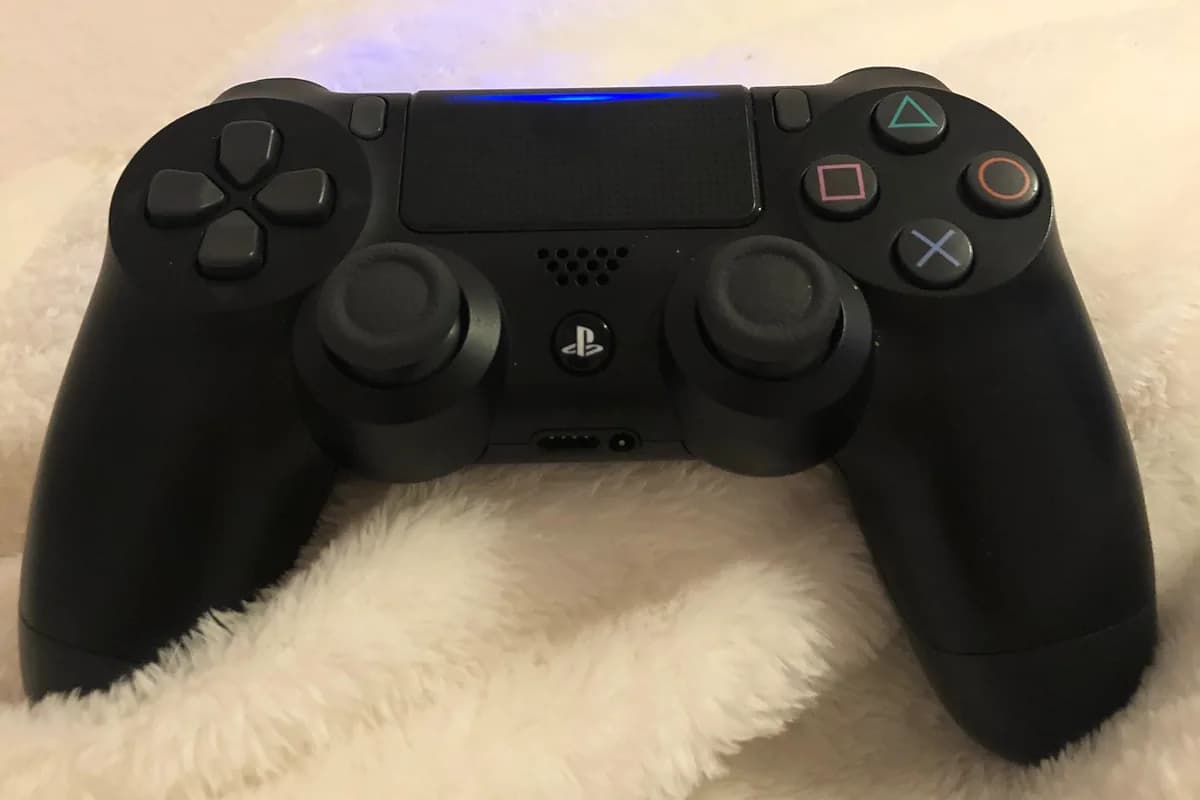
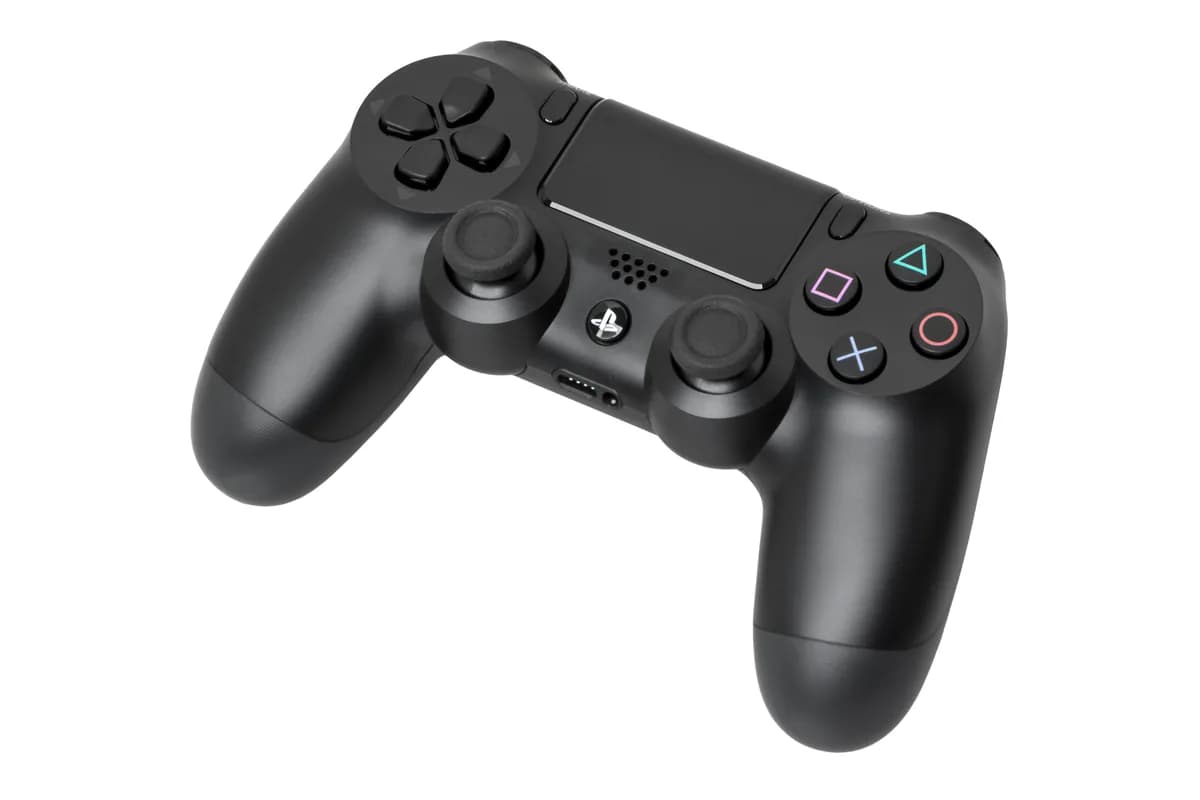
The first pad's lit strip rules out a CUH-ZCT1. The second, from 2013, has no strip. Photos: giselle cabrera, CC0; Evan-Amos, public domain.
FC 26 and other games with a PS4 version
Sony's rule goes by game format, so a PS4 version is your route. EA says you can "download and play the PlayStation 4 version of EA SPORTS FC™ 26 on your PlayStation 5". It doesn't mention controllers, so a DS4 on FC 26 rests on Sony's rule. Support is game-specific, so check each game first.
Own both versions? Sony's path: Game Library, highlight the game, press X, open the options menu, pick a version. PS4 versions show "PS4" beside the title.
Not every big game has one. Per Sony's store on 2 Nov 2026, Grand Theft Auto VI has a 19 Nov 2026 release date and "will not be available for PlayStation 4 consoles." Rockstar lists Xbox Series X|S, so that means not on PS4, not a PlayStation exclusive. Sony's rule leaves a DS4 out on the console. That's the rule applied to the 2 Nov 2026 listing, not something we ran.
How to play PS5 games with a PS4 controller
Use Remote Play. Sony's DS4 page says the pad can play games "streamed from your PS5™ console". On the PS5, turn on Enable Remote Play under Settings > System > Remote Play. Sony requires at least 5 Mbps and recommends 15.
Phone, tablet or Android TV
Sony lists iPhone, iPad, Android and Android TV (OS 12 or later). That page gives older minimums than Sony's app listings, which now require iOS 16 and Android 11. Over Bluetooth, except on a compatible Sony Xperia, Sony's DS4 page says "Touchpad is not supported" and neither are rumble, motion sensor or headphone audio, though its Android app listing says "Your controller may vibrate differently".
PC or Mac
Windows over USB. Mac on macOS Monterey or later, by Bluetooth or USB cable.
PS4 console
Sony's guide lists one controller: the DS4. Its landing page differs: "Stream your PS5 games to another PS5 or PS4 console with your DualSense controller". We can't prove which is right. Kotaku streamed to a PS4 in 2020 and noted "a noticeable input delay". One creator reported this route with a PS4 pad in 2025.
A second PS5
Documented, not proven
Sony's guide says: "You can also use a DualSense Edge™ wireless controller or a DUALSHOCK®4 wireless controller." So the pad is refused directly, yet listed through another PS5. Sony's landing page differs, saying "with your DualSense controller", and we found no first-hand report.
What streaming costs you
Streaming adds delay. Sony warns that "DUALSHOCK 4 features as Touch Pad, Motion Sensor, Light Bar and Vibration might not be available", and "Some games don't support Remote Play." We couldn't confirm what survives on each device.
Are PS4 controller adapters for PS5 worth it?
Brook says its Wingman P5 is "Compatible with all PS5 and PS4 game titles" and lists the DS4. We couldn't confirm that. Brook Wingman P5 at Brook's store→
Pros
- +PS5 firmware updates: 9 Oct 2025, 6 Jan 2026, more on sister models
Cons
- -$78 at the Brook store, as of 2 Nov 2026
- -No Sony license found
- -A PS5 update has broken other adapters
License. We found no Sony license for it. Brook's page makes no claim and Sony's licensed list doesn't name it, which is absence, not a statement. Sony's software license bars "unauthorized" hardware and tools that "bypass" security, and allows "denial of any warranty, repair or other services". We found no ruling or report on plain converters, and no source we opened says Brook's adapter bypasses Sony's security.
A different adapter. Cronus said a January 2024 PS5 update meant its Zen "will no longer connect to the PS5 without disconnecting." VGC said the update "appears" to have blocked it. The Zen isn't a Brook product, and nothing we opened ties that update to Brook.
So: risky. As of 2 Nov 2026, the Wingman P5 ($78) costs more than a DualSense at Sony's list price ($74), so we'd buy the DualSense.
Why can't PS4 controllers play PS5 games?
Sony's reason comes down to new features, such as adaptive triggers, which push back with varying force, and haptics, which replace rumble motors. Two of its statements:
- 3 Aug 2020, PlayStation.Blog, Isabelle Tomatis, Vice President, Global Marketing: "Will DualShock 4 work with PS5 games? No, we believe that PS5 games should take advantage of the new capabilities and features we're bringing to the platform, including the features of DualSense wireless controller."
- 9 Nov 2020, page updated 13 Apr 2021, Sony's PS5 FAQ: "PS5 games will require use of the DualSense wireless controller, as they have been designed to take advantage of its immersive new features."
Neither claims a technical block. Sony's support page adds "PS5 games can only be played with DualSense wireless controllers", which doesn't square with the pads Sony licenses or its Access controller.
Why isolate the PS5?
It's the question gamers keep asking. The argument, at full strength, goes: same buttons, same control scheme, and this isn't a GameCube-to-Wii jump, where the pads were entirely different. Even then, it says, tons of Wii games took the GameCube pad. It adds that Switch 2 supports Switch 1 Pro controllers and Xbox One controllers work on Series X. So why isolate the PS5?
Fair question. Each comparison, checked:
Xbox: holds, with a catch
Microsoft says: "XBOX Series X|S consoles are compatible with most XBOX One controllers and gaming accessories." Note "most". The catch: the Series pad adds no listed resistance or haptic hardware, so games need nothing new. That's our read.
Switch 2: partly
Nintendo says Switch controllers work with Switch 2 exclusives too, "but cannot be used if the games requires features unique to Joy-Con 2, such as mouse controls." That's a yes-unless rule.
GameCube to Wii: some, per Nintendo
Brawl took that pad. But Nintendo only says "some Wii games may make use of the GCN Controller", and "Only Wii consoles with model number RVL-001 are compatible with Nintendo GameCube accessories." We found no count, so "tons" stays unconfirmed.
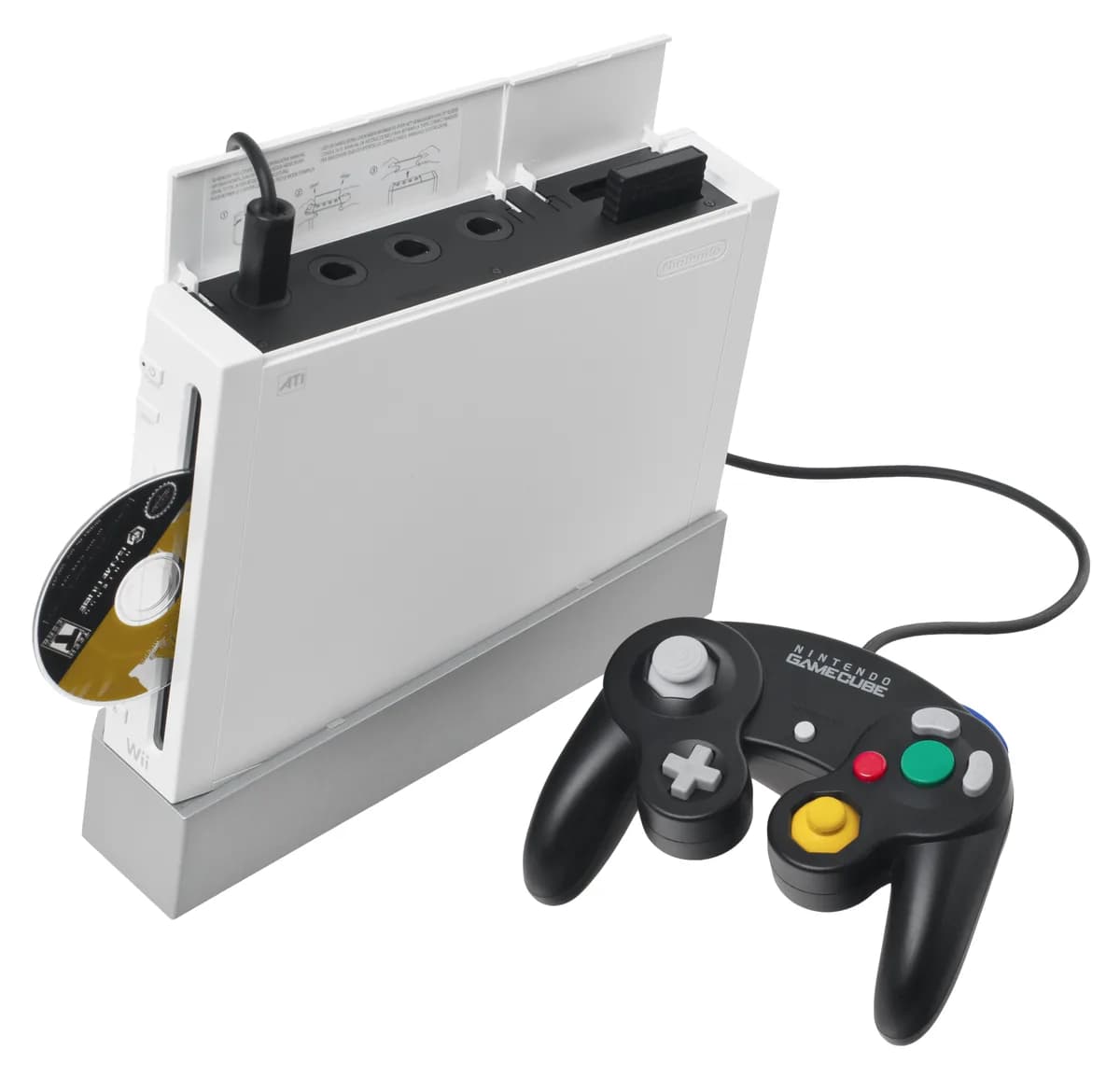
Photo: Evan-Amos, public domain.
Sony's side
Beyond its two statements above:
- This isn't new. In 2013, Sony's Shuhei Yoshida said: "No, [PS4] doesn't support DualShock 3". PS5 was more generous: the old pad still plays last-gen games. That's not like for like, since PS4 didn't run PS3 games natively. PS5 stands out against rivals, not history.
- The hardware gap is real. One teardown describes a motor and gears driving a plastic stop in each DualSense trigger, and dual actuators that act more like a loudspeaker cone. A DS4 spins eccentric masses and has no built-in mic. The DualSense adds a mute button and a slightly larger touch pad.
- Some games lean on it. Sony says some "occasionally necessitate DualSense-specific features, such as touchpad swipe". Whether a DS4's touchpad would do is unknown.
- Rift Apart's store page says "required". Rift Apart's page reads "Vibration function and trigger effect required". We found no explanation, and Sony's accessibility page lists a Rift Apart preset with "Adaptive Triggers: Off". Of the 33 PS5 store pages we sampled on 2 Nov 2026, 2 said "required", 19 "supported" and 12 neither.
What Sony said, what the sources show, what we can't know
What Sony said. PS5 games "should take advantage" of the DualSense (Aug 2020) and "have been designed to" (Nov 2020). Rift Apart's page says "required" and names no reason. We found no technical block claimed for the DS4.
What the sources show.
- Five Sony games (Astro Bot, Spider-Man 2, Rift Apart, Returnal, Demon's Souls) are tagged "Playable without Adaptive Trigger Effect", meaning the resistance can be off. Developers supply these tags, and they don't mention a DS4. Rift Apart also says "required". The other four don't, so not every PS5 game needs adaptive triggers.
- Returnal's alt-fire lives on the trigger, yet Sony lists a Classic scheme using "additional button presses instead", and the console's trigger effect setting can be turned off.
- Licensed pads can skip these features. Razer's page asks "Why is there no vibration feature in this controller?", and Tom's Guide says the V2 Pro "has no haptics or adaptive triggers".
- Sony says "The Access controller works with every game available on PS5.", though some games may need a DualSense alongside it.
- Licensed wheels and sticks "will work with PS5 games", where the game supports them.
- PC builds like Spider-Man 2's list "DualShock 4 (PlayStation 4)". PS5 builds may have no such path, at unknown cost.
What we can't know. Why, from outside Sony. The fairest read, and it's inference: Sony wanted every buyer holding the intended pad by default. The counter, also inference: a Switch 2 style rule, blocking only games that need new hardware. Some gamers assume it's about selling controllers. No source we found shows that.
It looks like a choice
Blocking the DualShock 4 looks like a choice, and we found no hardware limit that forces it.
Can a PS5 controller work on a PS4?
No. Sony's PS5 FAQ says: "The DualSense wireless controller is not compatible with the PS4 console." VGC reported on 2 Nov 2020 that "DualSense is not recognised at all by the PS4 console", and on 2 Nov 2026 Sony's listing said "Compatible with PlayStation®5 console, PC, Mac® and mobile devices."
DualSense vs DualShock 4: keep yours or upgrade?
Keep your DS4 if you mostly play PS4 games, are happy to stream, or use PS VR on a PS5.
Buy another pad if you want PS5 games on the console. DualSense wireless controller→ Licensed pads are the alternative, but Tom's Guide's 2023 review says the Razer "will not turn on the PS5".
Buying a DS4? Sony's store shows recertified units only, with no cable, out of stock as of 2 Nov 2026.
| Spec | DualShock 4 | DualSense | DualSense Edge |
|---|---|---|---|
| Charge port | Micro-USB | USB Type-C | USB Type-C |
| Battery | About 1,000 mAh | 1,560 mAh | 1,050 mAh |
| Weight | About 210 g | About 280 g | About 325 g |
| Built-in mic | None listed | Yes, with mute button | Yes |
| Sony US price, 2 Nov 2026 | $49 recertified | $74 list | $199 list |
As of 2 Nov 2026, all six recertified DS4 colors were out of stock at Sony's store, as was the DualSense SKU we checked, with refurbished DualSense units from $59. The Edge was in stock.
DS4 battery and weight come from secondary sources, Edge battery and weight from a retailer's copy of Sony's manual.
Battery hours? Reports disagree: Trusted Reviews favors the DualSense, GamesRadar the DS4.
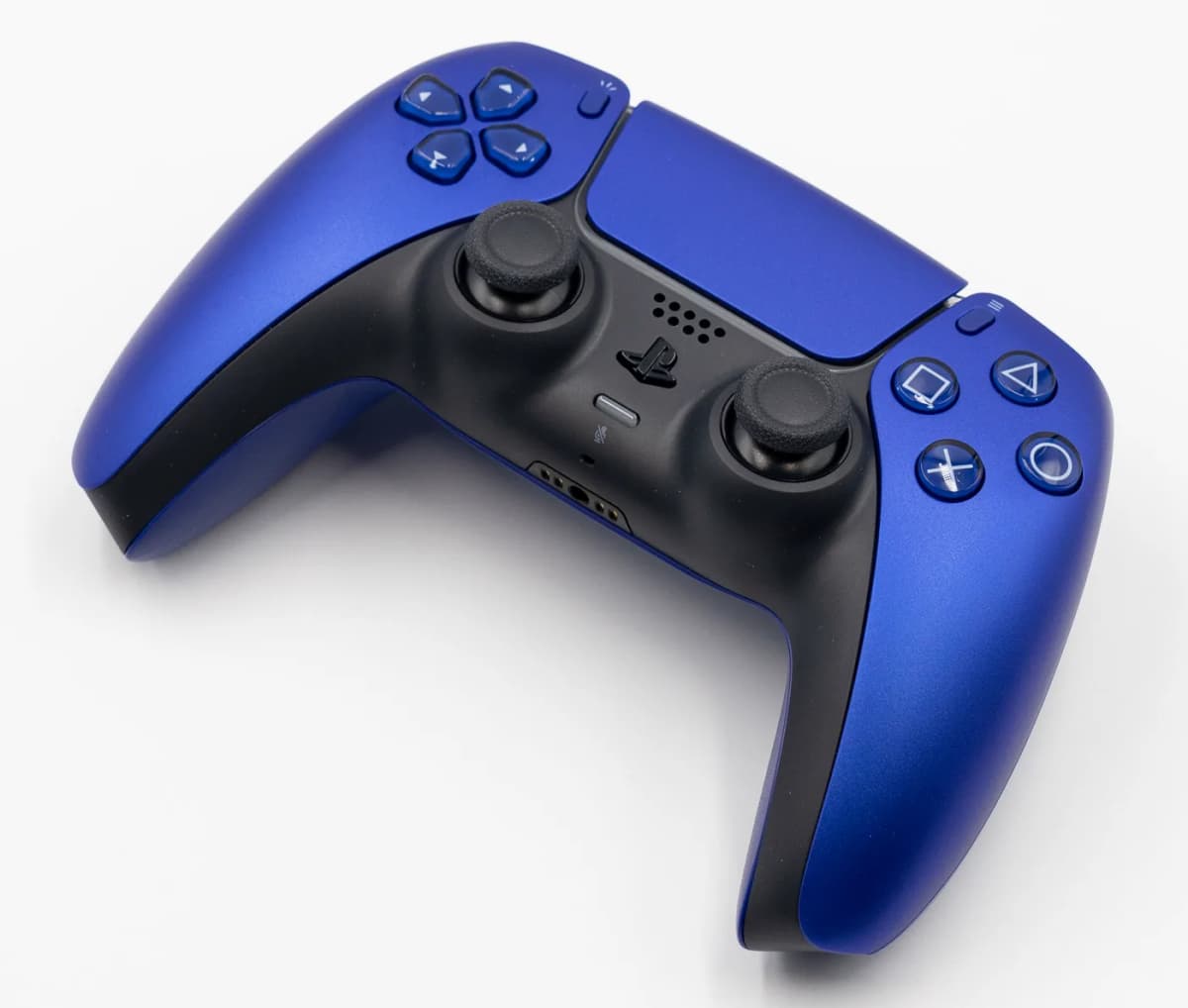
Photo: Sonson2, CC0.
More: our budget gaming headset guide and gaming gear.
FAQ
Can a PS4 controller work on PS5?
On the console, yes with PS4 games and no with PS5 games. Sony's Remote Play guide lists it for streaming PS5 games, if the game supports it.
Can you use a PS4 controller on PS5 games?
Not on the console, per Sony's manuals. Sony's guide lists it through Remote Play, if the game supports it.
Do PS4 games need a PS5 controller?
No. Sony says the DS4 will work on PS5 consoles with supported PS4 games.
How do I connect a PS4 controller to a PS5 without a cable?
Press guides list Bluetooth, with another pad connected to work the menu. We couldn't confirm it.
Why won't my PS4 controller work on PS5?
In a PS5 game, that's Sony's rule. If it won't connect, re-pair by micro-USB, then try the reset hole.
Is there an adapter to use a PS4 controller on PS5 games?
Brook's Wingman P5 claims it. We couldn't confirm that, and we found no Sony license for it.
Does a PS4 controller work on PS5 Pro and PS5 Slim?
The same way, on the console: PS4 games yes, PS5 games no. To pair with a USB-A to micro-USB cable, use a back port.
Can a PS5 controller work on a PS4?
No. Sony's PS5 FAQ says the DualSense "is not compatible with the PS4 console", and its store listing leaves PS4 out.
Sources and how we researched this
Built from Sony's documentation, other makers' pages and press reports, checked 2 Nov 2026, with no hardware tests. If an official page disagrees, go by the official page. Other sources are linked above.
- Sony: PS5 manual, 3 Aug 2020 post, 9 Nov 2020 FAQ, compatibility page, software license, accessibility
- Remote Play: guide, landing page
- Store pages: Astro Bot, Rift Apart, GTA VI
- Rivals: Xbox, Switch 2, Wii
- Others: Spider-Man 2 on PC, Razer, Tom's Guide, VGC, Brook firmware
Photo credits: cover, Christian Ladewig, CC0; ports, 阿金生活, CC BY 3.0, cropped; others as captioned.
The Weekly Dispatch
Enjoying this article?
Subscribe and get our best gear picks delivered every Sunday morning.
Related Posts
Best Budget Gaming Keyboard Under $75 2026
Finding a gaming keyboard that performs well without emptying your wallet is easier than ever. These budget picks deliver mechanical switches and features that matter.
GameSir Tracer Pro Lightgun Review: Worth It?
We break down the GameSir Tracer Pro's specs, features and price to see who it's for, covering accuracy, latency and comfort in lightgun gaming.
Best Gaming Chair Under $300 Worth Buying 2026
Budget gaming chairs have improved dramatically. We compared top options under $300 by maker specs for comfort, build quality and support.

Best Pro Controller for PS5 with Back Paddles
Back paddles transform how you play PS5 games. Here are the pro controllers that nail the feature without compromising comfort or response time.