Best Monitor Light Bars for Desk Setup 2026
Monitor light bars eliminate desk clutter and reduce eye strain better than traditional lamps. We compare brightness, color temperature, and mounting systems.
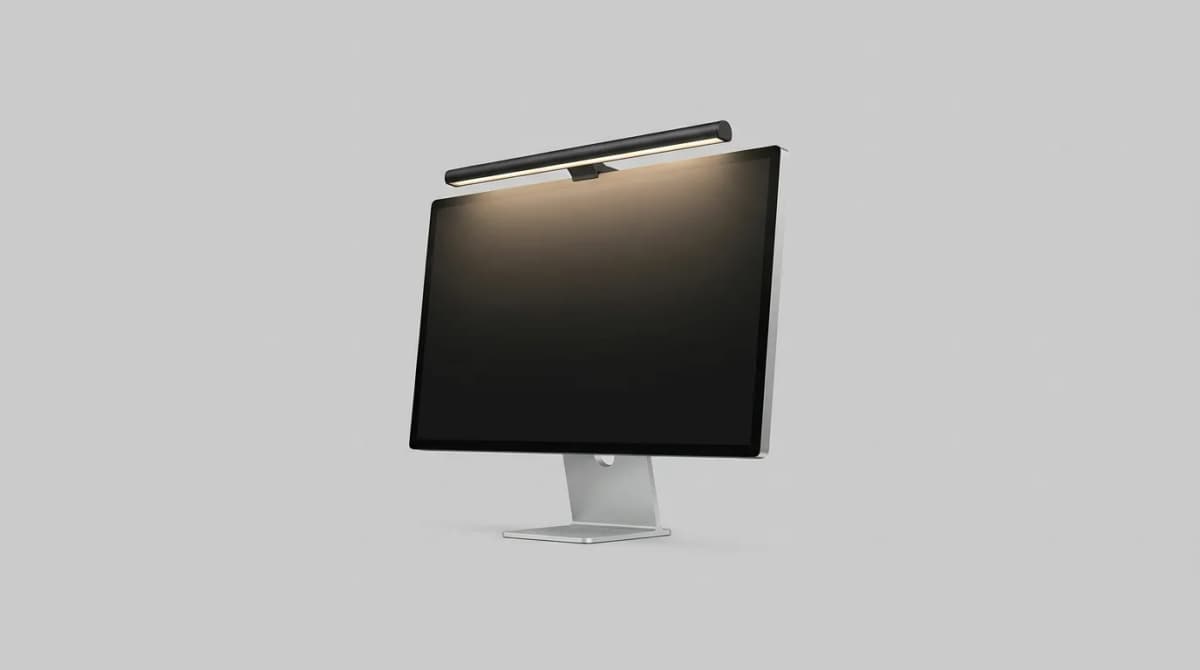
A monitor light bar solves the one problem every desk lamp creates: it takes up space you don't have. These slim LED bars clamp to the top of your monitor, aim light downward onto your desk, and keep glare off your screen. No base, no arm, no fighting for room next to your keyboard.
Quick Picks
Our top recommendations at a glance:
- 1
- 2
- 3
- 4
- 5
The difference between a cheap light bar and a good one comes down to three things: how well the clamp fits modern monitors, whether the light temperature actually matches what you need at different times of day, and if the controls are within reach or require you to fumble behind your screen every time. We compared the current lineup to find which ones earn their spot above your display.
Why Monitor Light Bars Beat Traditional Desk Lamps
Standard desk lamps sit on your surface, cast shadows from your hands, and reflect off your screen when positioned wrong. A monitor light bar mounts above your viewing area and directs illumination downward at a 25-30 degree angle. This asymmetric lighting pattern puts lumens where you need them - on documents, keyboards, and notebooks - while keeping your monitor free from reflections.
The space savings matter more than most people expect. A typical desk lamp footprint runs 6-8 inches in diameter. That's room for a phone, notebook, or coffee mug you're currently shuffling around. Light bars use zero desk real estate because they balance on top of your monitor using a weighted clamp or counterbalance system.
Eye strain reduction is the other big win. When your screen is bright but your surroundings are dim, your pupils constantly adjust between the two brightness levels. This causes fatigue during long work sessions. A light bar raises the ambient brightness around your workspace to reduce that contrast, letting your eyes maintain a more consistent focal point.
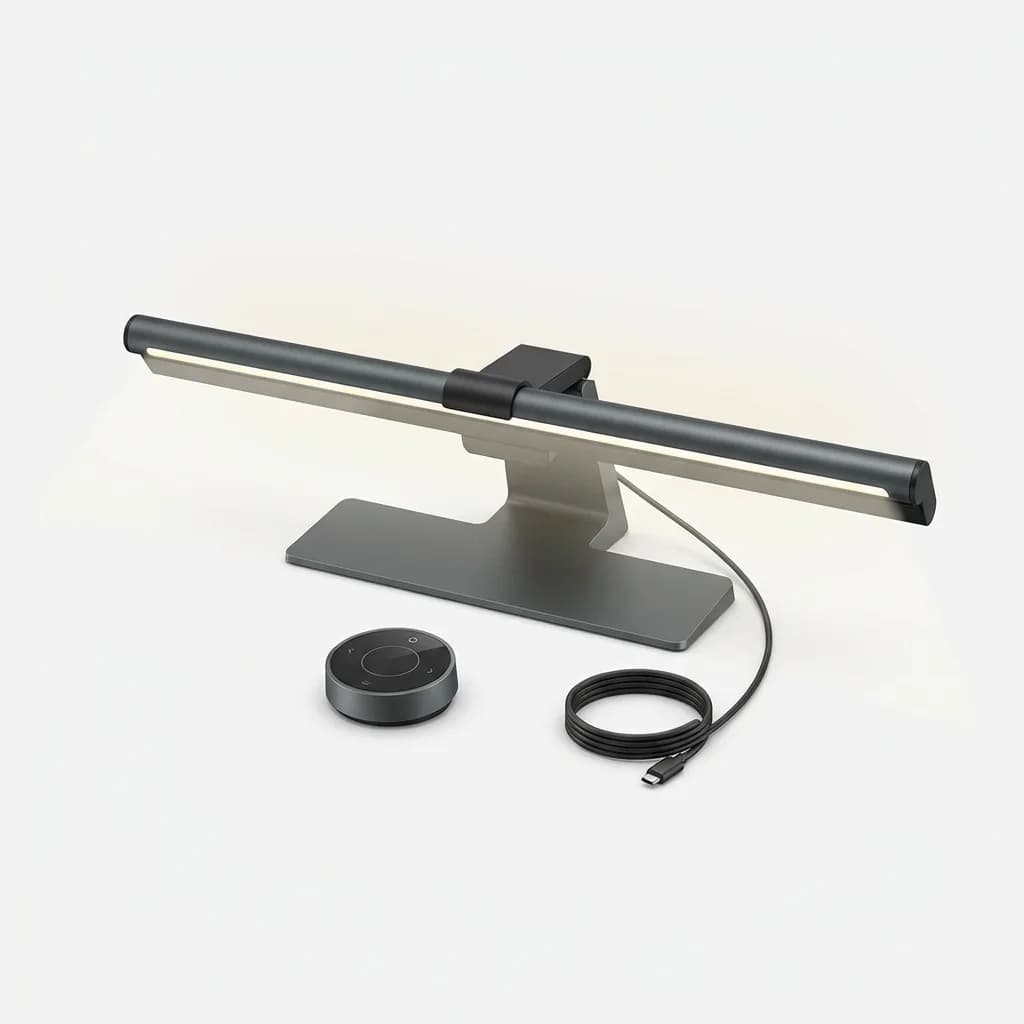
BenQ ScreenBar Halo
$169
Auto-dimming LED monitor light with wireless controller dial, 2700-6500K color temperature, and USB-C powered asymmetric lighting designed to eliminate screen glare.
Best Overall: BenQ ScreenBar Halo
BenQ created the monitor light bar category and the ScreenBar Halo remains the standard others chase. The counterweight clamp system fits monitors from 0.3 to 2.4 inches thick without tools or adhesives. It works with curved screens and monitors that tilt back at steep angles, which eliminates the fitment issues common with cheaper clamps.
The Halo's defining feature is its wireless controller puck. Instead of reaching behind your monitor to tap capacitive buttons, you get a machined aluminum dial that sits on your desk. Rotate it to adjust brightness from 300 to 1000 lux. Press it to cycle through color temperatures from 2700K (warm) to 6500K (cool). The auto-dimming mode uses a built-in sensor to adjust output based on ambient light, though manual control is more predictable for video calls where lighting shifts frequently.
Light quality separates this from budget options. The LED array produces a Center Weighted Illumination pattern - brighter in the middle of your desk where you work, softer at the edges. CRI (Color Rendering Index) measures 95, which means colors look accurate when you're reviewing photos or design work. The asymmetric lens design keeps light off your screen at any monitor tilt angle up to 30 degrees.
Build quality is where you feel the price difference. The aluminum housing dissipates heat silently. The USB-C cable is 5 feet long with a right-angle connector that routes cleanly. The weighted clamp is steel, not plastic, and grips without scratching. It's the only light bar here that feels like it belongs on a high-end desk setup.
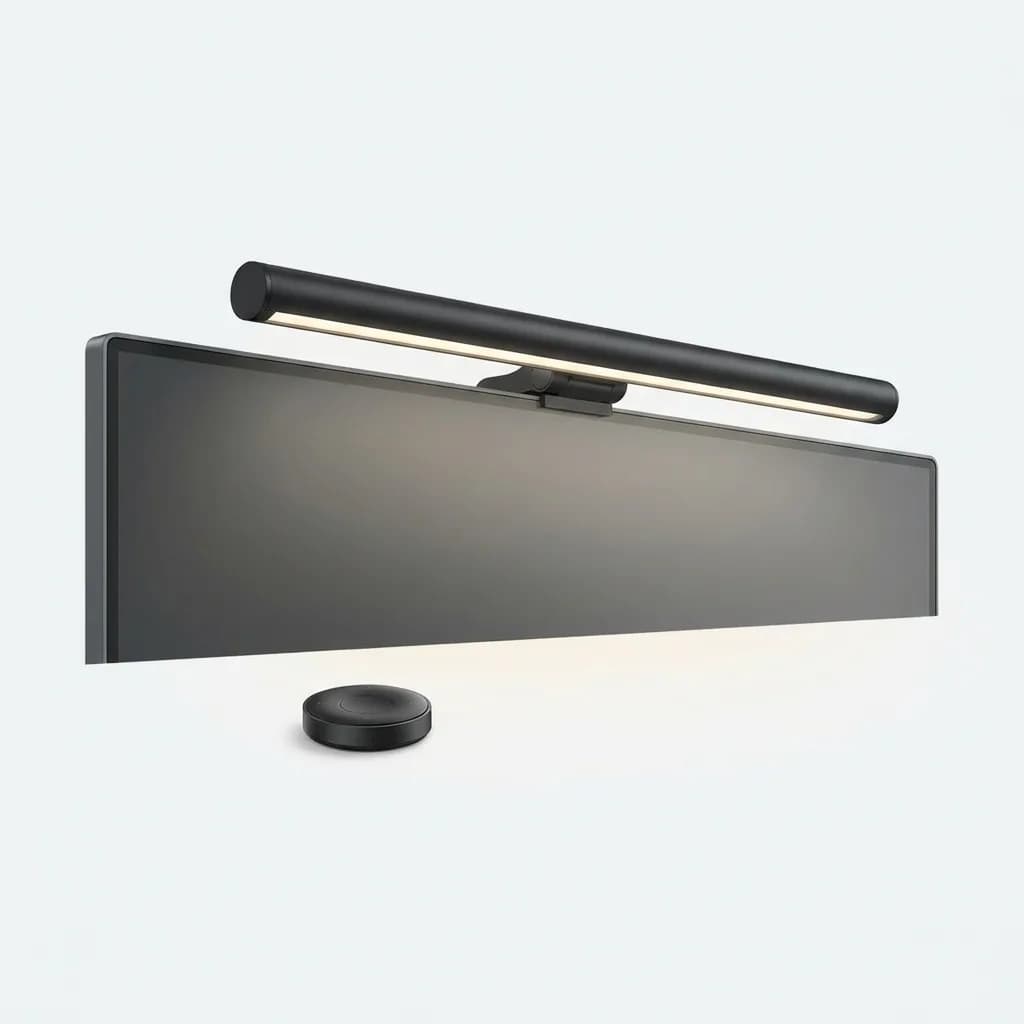
Xiaomi Mi Computer Monitor Light Bar
$69
Budget-friendly monitor lamp with magnetic rotation, 2700-6500K adjustable color temperature, and wireless remote. Fits monitors up to 1.2 inches thick.
Best Budget Option: Xiaomi Mi Computer Monitor Light Bar
The Xiaomi light bar delivers 80% of the BenQ's performance at 40% of the price. The clip-on mount uses a spring-loaded mechanism rather than a counterweight, which limits compatibility to monitors under 1.2 inches thick. If your monitor is thinner than your thumb, it fits. Anything chunkier and you'll need spacers or a different solution.
What makes this a legitimate budget pick instead of a compromise is the light quality. The LED array matches the Xiaomi's color temperature range of 2700-6500K and produces minimal flicker at any brightness level. CRI rates at 90, which is excellent for the price and sufficient for most non-professional color work. The asymmetric lens keeps glare off your screen just like more expensive models.
Control happens via a small wireless remote instead of a desktop dial. It's infrared, not Bluetooth, so you need line of sight to the light bar's sensor. This gets annoying if you store the remote in a drawer, but the upside is zero pairing hassles and no battery drain when idle. Two AAA batteries in the remote last about six months with regular use.
The main limitation shows up in maximum brightness. The Xiaomi tops out around 500 lux at desk level compared to the BenQ's 1000 lux. For most people working under typical indoor lighting, that's plenty. If your room has lots of windows or you need high output for video work, you'll want more power.
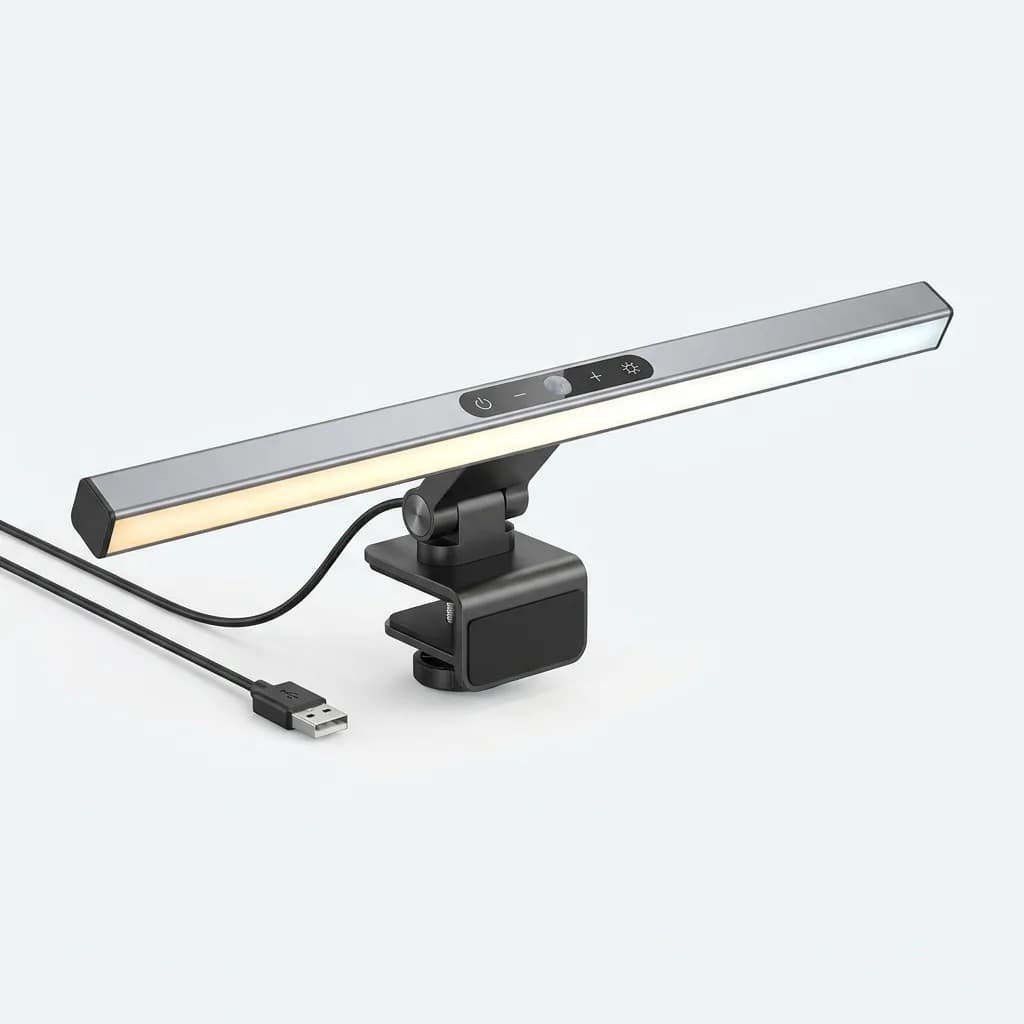
Quntis Computer Monitor Lamp
$45
Adjustable LED screen bar with touch controls, auto-dimming sensor, 3000-6500K color range, and USB-A cable. Weighted clamp fits monitors up to 1.6 inches.
Best Entry-Level: Quntis Computer Monitor Lamp
Quntis undercuts Xiaomi by another $25 while keeping the core features intact. The clamp uses a simpler gravity-based design with a foam-padded arm that hooks over your monitor. It fits screens up to 1.6 inches thick and works with flat panels only - curved monitors cause the lamp to tilt sideways.
Controls sit on top of the light bar itself. Touch-sensitive buttons handle power, brightness, and color temperature. There's an auto mode that adjusts output based on ambient light, though the sensor isn't as refined as BenQ's. It tends to over-compensate in dim rooms and under-compensate near windows.
Light output measures around 400 lux at maximum brightness with a color temperature range of 3000-6500K. The warmer end stops at 3000K instead of 2700K, which means late-night work sessions don't get quite as cozy. CRI rates around 85, which is acceptable but not ideal if you're doing photo editing or graphic design where color accuracy matters.
The build uses plastic housing instead of aluminum. It feels cheaper and the touch controls occasionally miss inputs. But at this price, the Quntis serves its purpose: decent lighting for students, gamers, or anyone setting up a first home office who doesn't want to spend triple digits on a desk accessory.
What About Higher Color Temperature Ranges?
Some monitor lights advertise color temperatures up to 7000K or even 8000K, marketing them as "focus" or "daylight" modes. In practice, anything above 6500K looks harsh and blue. Your eyes interpret it as artificial rather than natural, which defeats the purpose of reducing strain.
The sweet spot for daytime work sits between 4500K and 5500K. This mimics overcast daylight and keeps you alert without feeling clinical. Warm white at 3000-3500K works better after sunset, signaling to your circadian rhythm that it's winding-down time. Most quality light bars give you enough range within 2700-6500K to hit both targets.
If you work late and struggle with sleep, the warmer temperatures matter more than brightness. Blue light wavelengths (which increase as color temperature rises) suppress melatonin production. Dropping to 3000K or below two hours before bed helps your body shift gears. It's the same reason night mode on your phone uses warm tones.
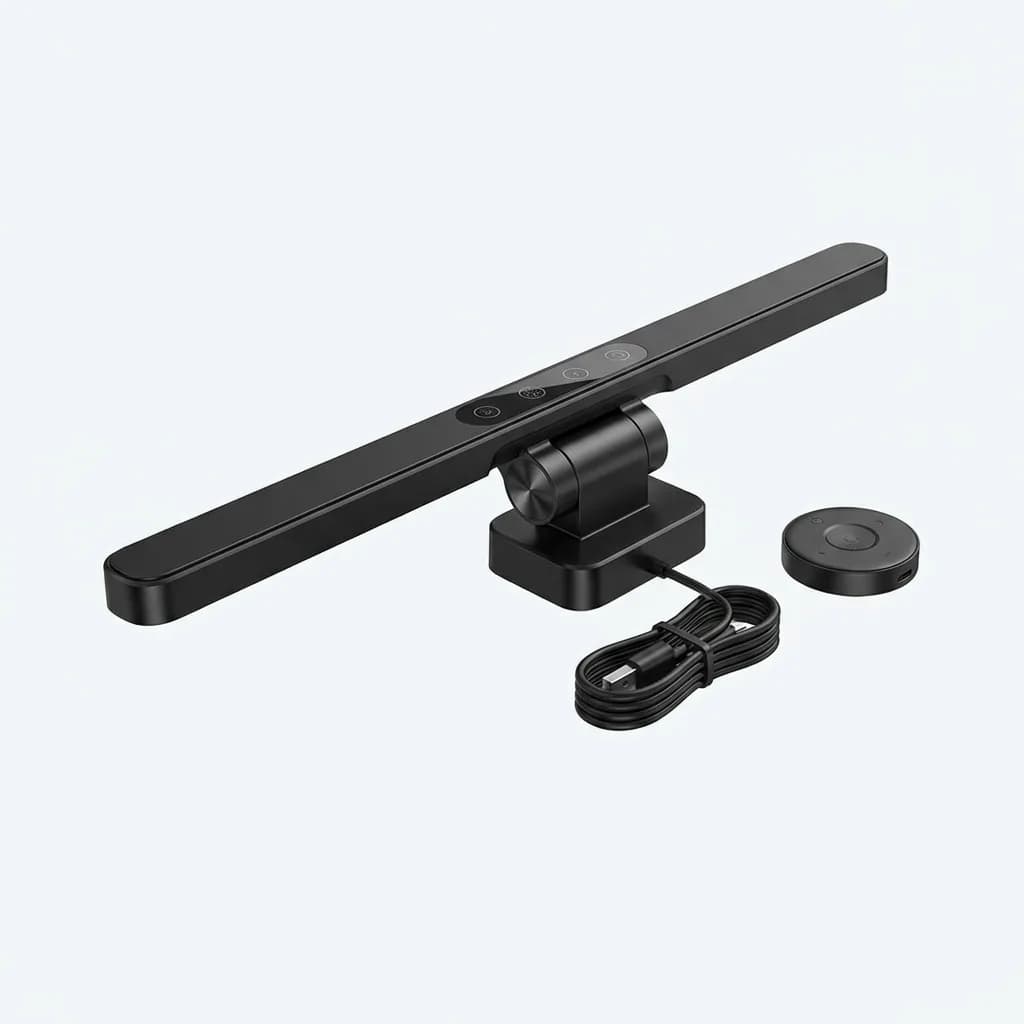
Baseus Monitor Light Bar
$56
Stepless dimming LED lamp bar with touch and remote control, 2700-6500K color adjustment, and USB-powered asymmetric lighting. Rotatable head aims light precisely.
Best for Multi-Monitor Setups: Baseus Monitor Light Bar
If you run two or three monitors side by side, you need light coverage that extends beyond a single 24-inch screen. The Baseus light bar stretches 19.7 inches - about 2 inches longer than most competitors. That extra width prevents dark gaps when mounted on your center display.
The rotatable head is the other multi-monitor advantage. It pivots 25 degrees left or right, letting you aim light toward whichever screen you're actively using. This sounds minor until you've worked on a triple-monitor setup where the light bar only illuminates the middle third of your desk. Being able to shift the beam makes a real difference.
Control options include both touch buttons on the unit and a small wireless remote. The remote is RF-based (not infrared), so it works without line of sight. Toss it in a drawer and it still triggers when you press buttons through the desk. Battery life runs about eight months on a single CR2032 cell.
Light specs hit the middle ground: 500 lux max output, 2700-6500K color range, CRI around 90. The mount uses a spring-loaded clamp that fits monitors up to 1.4 inches thick. It's not the brightest or the best-built, but the extra length and aimable head make it the practical choice when you need coverage across multiple displays.
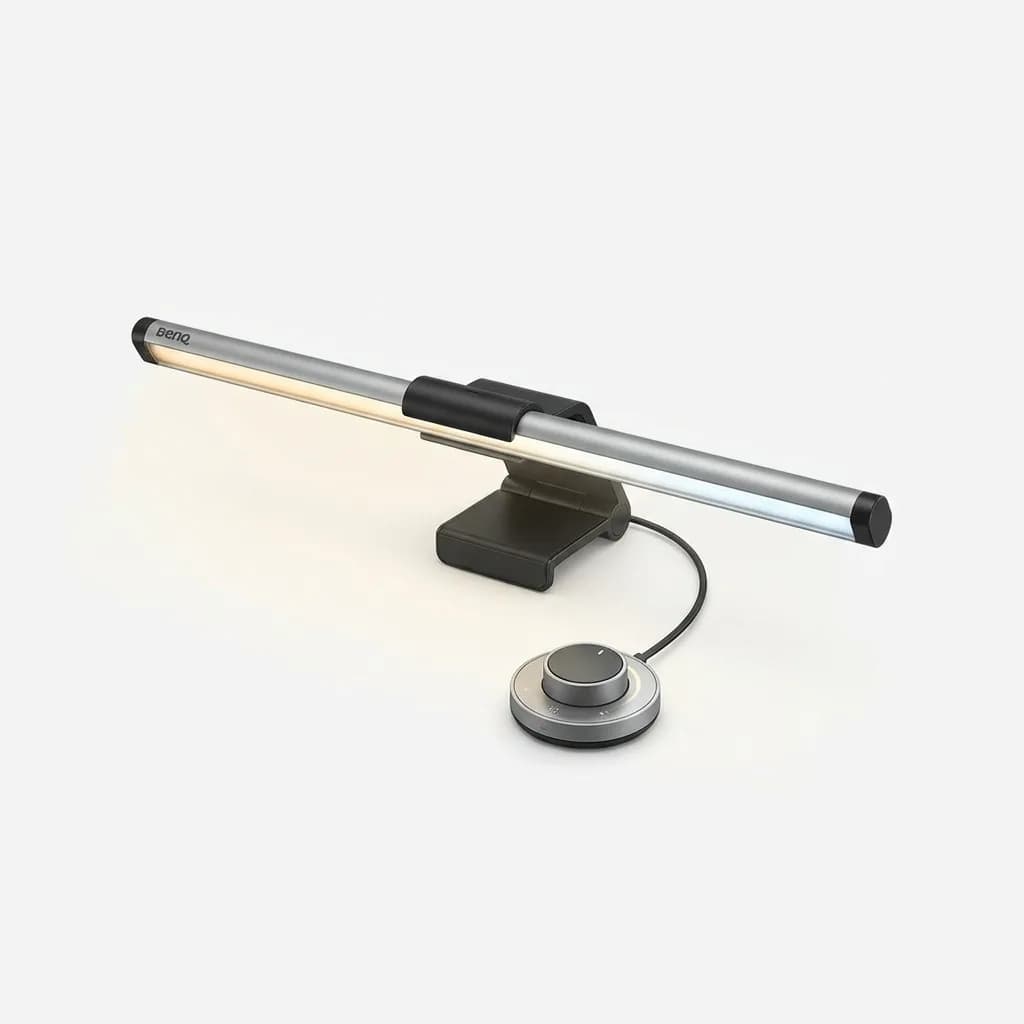
BenQ ScreenBar Plus
$139
Premium monitor light with desktop controller dial, auto-dimming sensor, 2700-6500K color temperature, and patented asymmetric optical design for zero screen glare.
Step-Down Pick: BenQ ScreenBar Plus
The ScreenBar Plus sits between the entry-level Xiaomi and the flagship Halo in BenQ's lineup. You get the same desktop controller dial and asymmetric lens design as the Halo, but with a slightly smaller LED array and lower maximum brightness (800 lux vs 1000 lux).
The main difference is the clamp system. The Plus uses a simpler weighted design that fits most monitors but struggles with ultra-thin displays under 0.5 inches thick. If you have a modern frameless monitor or an Apple Studio Display, check the specs before buying. The Halo's adjustable clamp handles those edge cases better.
Everything else about the Plus matches the premium experience: the aluminum housing, the machined control dial, the clean cable routing, the 95 CRI rating. It's the smart choice if you want BenQ's build quality and feature set but don't need the absolute maximum brightness or the widest clamp compatibility.
Installation and Monitor Compatibility
Most monitor light bars install in under 30 seconds. The clamp hooks over the top of your monitor and a counterweight hangs down the back panel. Gravity does the work - no screws, no adhesive, no risk of damaging your display.
The catch is monitor thickness. Budget clamps max out around 1.2 inches. Mid-range options handle up to 1.6 inches. Only premium models like the BenQ Halo accommodate the full range from ultra-thin laptops to chunky gaming monitors with built-in speakers.
Curved monitors add another variable. The light bar needs to sit perpendicular to your desk, but a curved screen makes the top edge tilt backward. Cheaper clamps slide off or sit at an angle. Better designs use adjustable counterweights or wider contact patches to maintain stability on curves up to 1800R.
USB power is universal across all models. They draw 5-10 watts, which any monitor USB port or desktop hub supplies without issue. The only consideration is cable length - make sure you have 3-5 feet to route cleanly from the light bar to your power source without dangling cables in your sight line.
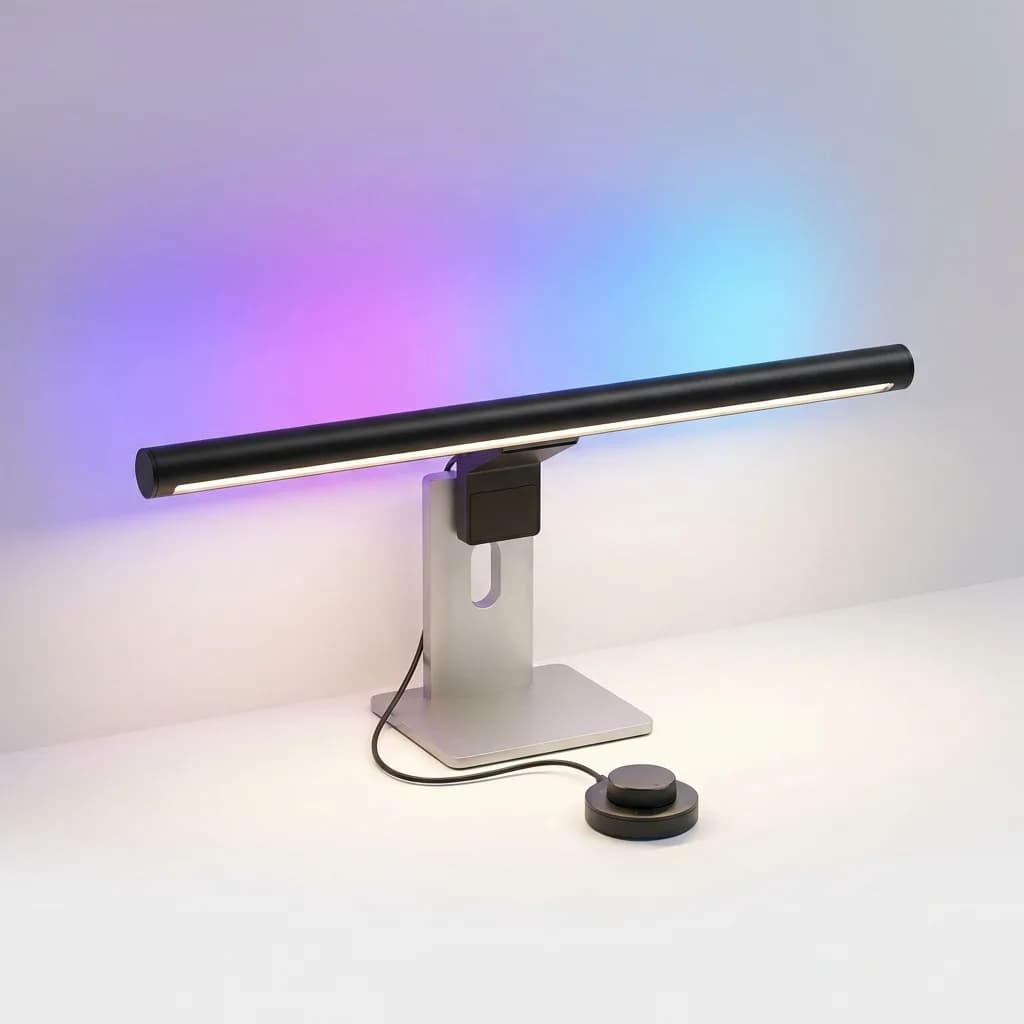
Yeelight LED Monitor Light Bar Pro
$89
Smart RGB monitor lamp with app control, voice assistant integration, 2700-6500K plus RGB modes, and Ra95 high color accuracy for creative professionals.
Best for Smart Home Integration: Yeelight LED Monitor Light Bar Pro
The Yeelight Pro adds Wi-Fi connectivity and RGB color modes to the standard monitor light formula. It connects to the Yeelight app (iOS and Android) where you can save custom scenes, set schedules, and sync the light bar with other Yeelight products in your room.
Voice control works through Google Assistant, Amazon Alexa, and Apple HomeKit. Tell your assistant to set your desk light to 4000K at 60% brightness and it happens. The automation angle matters more than the novelty: you can trigger "focus mode" when your calendar shows deep work blocks or switch to warm white automatically at sunset.
The RGB modes are hit or miss. Color accuracy is good - Ra95 CRI - but RGB lighting on a desk isn't particularly useful unless you're streaming or recording content. Most people set up a preferred white temperature and never touch the color wheel.
As a straight-up work light, the Yeelight competes with the Baseus. Similar brightness (500 lux), same color temperature range for white modes (2700-6500K), comparable build quality. The $30 premium buys you smart features that either transform your workflow or sit unused after the first week. Know which type of user you are before spending extra.
Do You Actually Need Auto-Dimming?
Auto-dimming sounds convenient: the light bar senses ambient brightness and adjusts output to maintain consistent illumination. In practice, it creates as many problems as it solves.
The issue is sensor placement. Most light bars mount the sensor on the front edge, facing your room. When you lean forward to type, your body blocks the sensor. The light dims. When you lean back, it brightens. The constant shifting becomes more distracting than just setting a manual level and leaving it alone.
BenQ's implementation works better because the sensor points upward instead of forward, reading ceiling-reflected light rather than direct room brightness. But even then, manual control is more predictable. Set 5000K at 70% for morning work, drop to 3500K at 50% after lunch, switch to 2700K at 30% in the evening. Three presets cover most needs without automation guesswork.
The one scenario where auto-dimming shines is a desk near large windows. As cloud cover shifts and natural light changes throughout the day, the sensor compensates without input. If your workspace has variable natural light, auto mode earns its keep.
Picking the Right Color Temperature for Your Work
Color temperature isn't just ambiance - it affects visual acuity and cognitive performance. Research shows 4000-5000K improves alertness and reduces errors in tasks requiring sustained attention. Below 3500K you start to feel drowsy. Above 6000K the light feels stark and uncomfortable.
For computer work, we stick with 4500-5000K during peak hours (9am-5pm). It matches the color temperature of most LCD monitors in standard mode, which reduces the contrast between your screen and the surrounding workspace. Your eyes don't have to adapt between two different light sources.
After 7pm, drop to 3000-3500K. This warmer setting maintains enough illumination for reading or note-taking while signaling to your circadian system that active hours are ending. If you work late frequently, the difference in sleep quality is measurable.
Creative work requiring color accuracy demands 5000K or higher. This "daylight" setting reveals colors as they appear under natural light, which matters when you're editing photos, reviewing print layouts, or color-grading video. Pair it with a monitor calibrated to sRGB or Adobe RGB for the most reliable results.
Making the Choice
If you're setting up a serious desk and want the best, get the BenQ ScreenBar Halo. The wireless controller and maximum brightness justify the premium, and the build quality means you won't replace it in two years. For everyone else, the Xiaomi Mi delivers excellent light quality at a fraction of the cost, as long as your monitor isn't too thick.
Budget-conscious buyers should grab the Quntis and spend the savings elsewhere in their setup. Multi-monitor users need the Baseus for its extra width and aimable head. Smart home enthusiasts will appreciate the Yeelight's integration features, but only if you actually use automation in your daily routine.
The common thread across all these picks: even the cheapest monitor light bar beats a traditional desk lamp for screen-based work. Once you eliminate glare and reclaim desk space, you won't go back.
The Weekly Dispatch
Enjoying this article?
Subscribe and get our best gear picks delivered every Sunday morning.
Related Posts
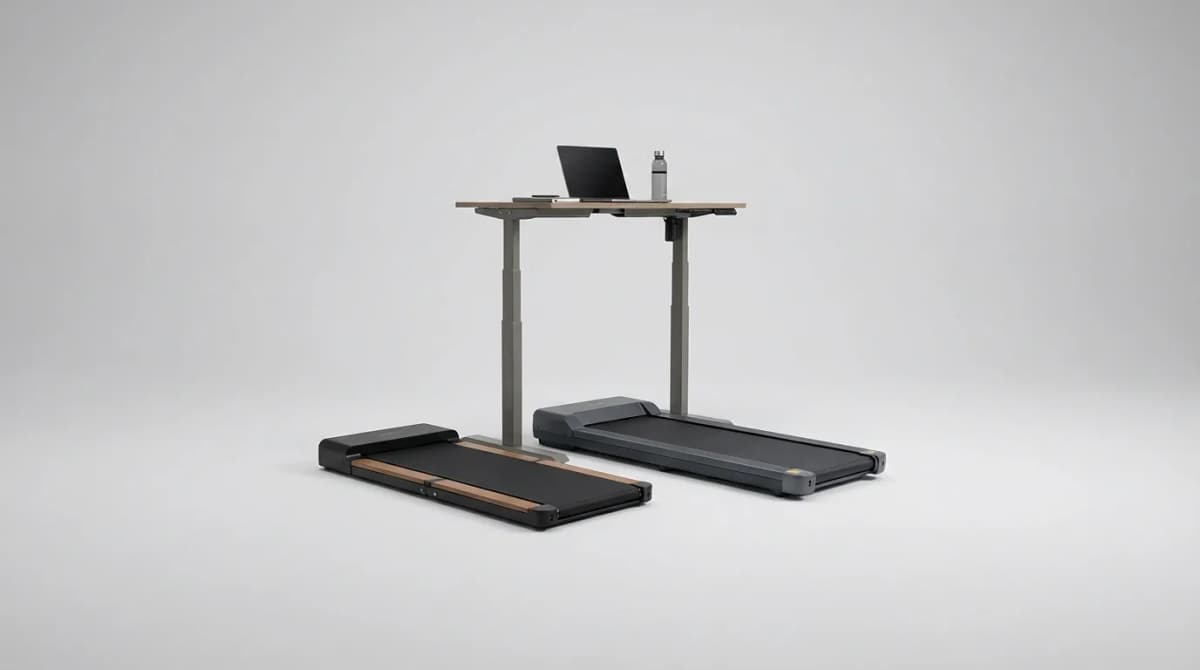
Best Under Desk Treadmill for Standing Desk 2026
Walking while working isn't a gimmick anymore. We compared top under-desk treadmills by maker specs for size, noise and daily-use ratings.

Best Desk Organizers for Small Office Spaces
The right desk organizer reclaims workspace without adding clutter. We compared compact solutions by size, features and price for tight quarters.
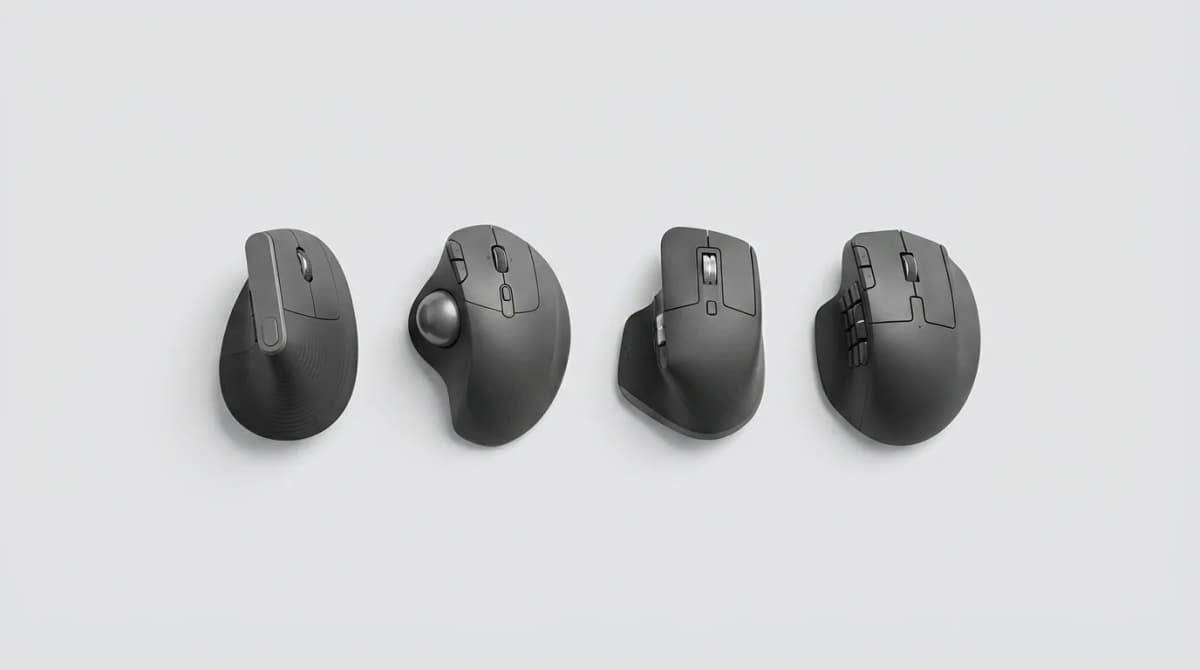
Best Ergonomic Mouse for Wrist Pain 2026
Wrist pain from mouse use is fixable with the right hardware. We compared vertical mice, trackballs and angled designs by maker specs and ergonomics.
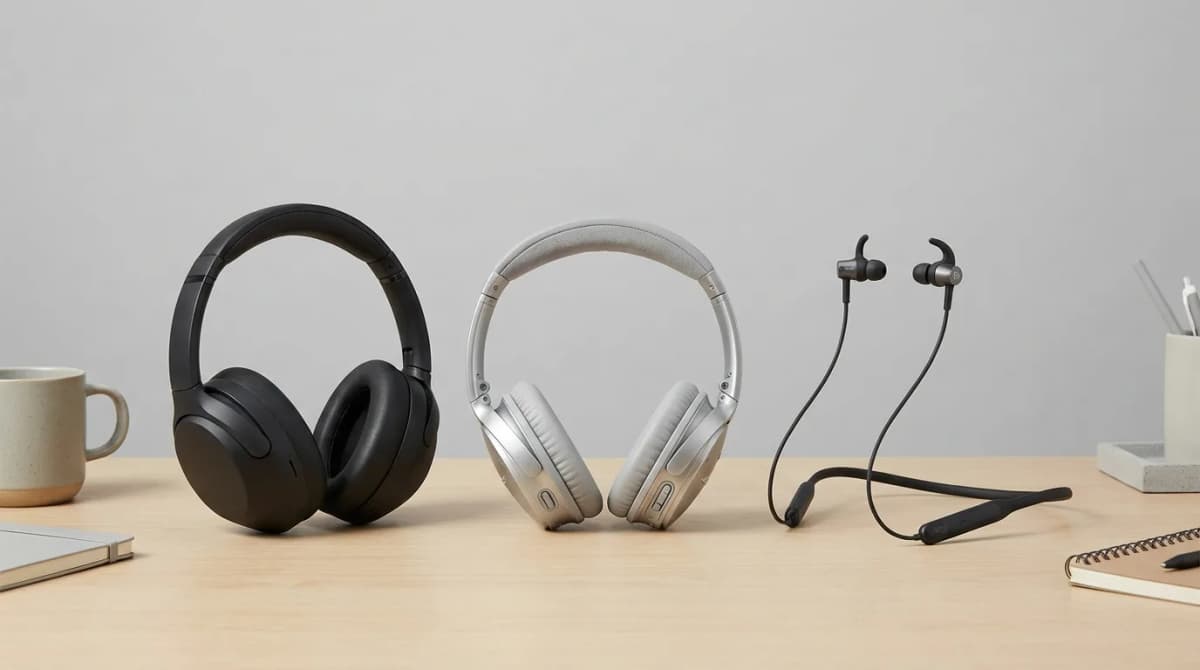
Best Noise Canceling Headset for Video Calls 2026
Background noise ruins video calls. We compared top noise-canceling headsets by maker specs for mic noise reduction and clear audio.