Best AI Security Camera with Person Detection
AI person detection cuts false alarms. We compared cameras by maker specs and features to find which tell humans from pets, cars and branches.
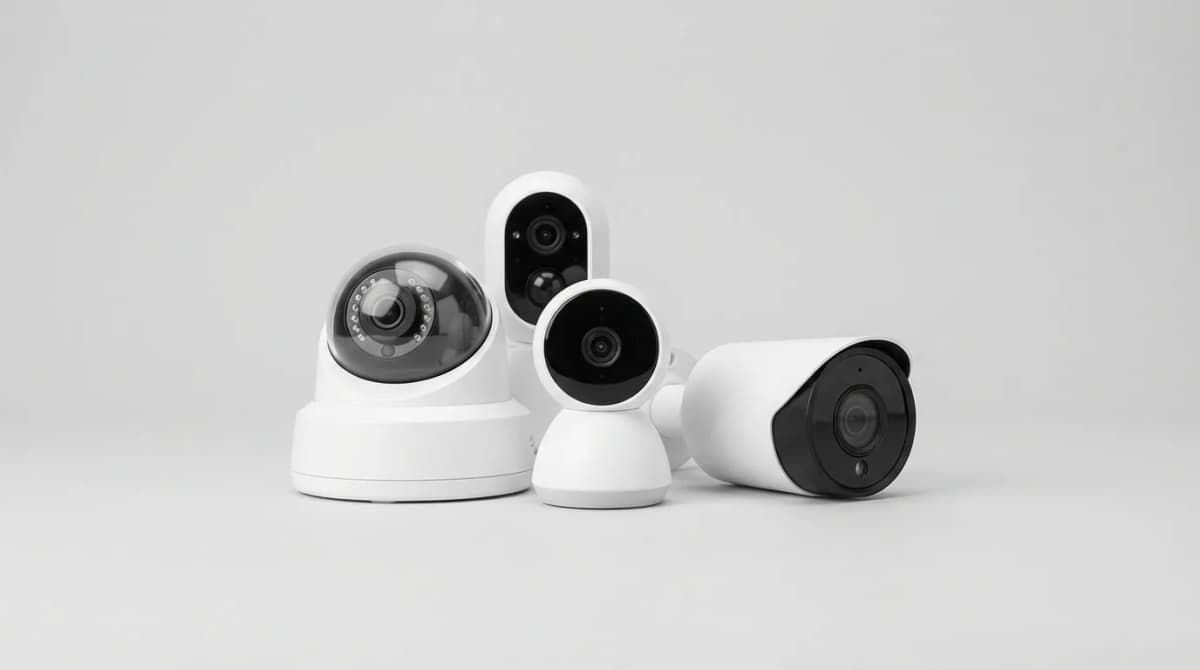
Your security camera shouldn't ping you every time a leaf blows past. That's the promise of AI person detection, and of the eight models compared here, only some actually deliver. The best systems use on-device processing to distinguish humans from cars, animals, and shadows in under a second, sending alerts only when it matters.
Quick Picks
Our top recommendations at a glance:
- 1
- 2
- 3
- 4
- 5
The difference is dramatic. Traditional motion detection cameras generate 40-60 false alerts per day in a typical suburban yard. AI-equipped models with good person detection drop that to 3-5. That's not just convenience, it's the difference between a system you trust and one you ignore.
What Makes AI Person Detection Actually Work
The technology relies on convolutional neural networks trained on millions of labeled images. These models analyze body shape, gait, and proportions to identify humans with 95-98% accuracy under good conditions. But "good conditions" is the catch.
Lighting matters enormously. Cameras using infrared night vision struggle with person detection after dark because IR flattens depth perception. The best models compensate with higher resolution sensors (2K minimum) and dedicated AI chips that process more frames per second. Cameras claiming person detection but using cloud-based processing can lag by a few seconds, which means you get the alert after someone's already at your door.
Distance is the other variable most people underestimate. A camera rated for person detection at 25 feet might work perfectly at 15 feet and fail completely at 30. That's because the AI needs enough pixels on target to recognize human features. If your property requires monitoring beyond 25 feet, you need 4K resolution or a camera with optical zoom.
The accuracy gap between budget and premium models is real. Budget cameras (under $80) typically use older AI models with 85-90% accuracy, meaning one in ten alerts is wrong. Premium models ($150+) hit 96-98% with newer neural networks and better sensors. That 8% difference translates to dozens fewer false alerts per week.
Google Nest Cam (Battery) - Best Overall Balance
Google's battery-powered Nest Cam combines reliable person detection with the most practical alert system here. It distinguishes between people, animals, and vehicles, and crucially, it does this processing on-device so alerts arrive in under one second.
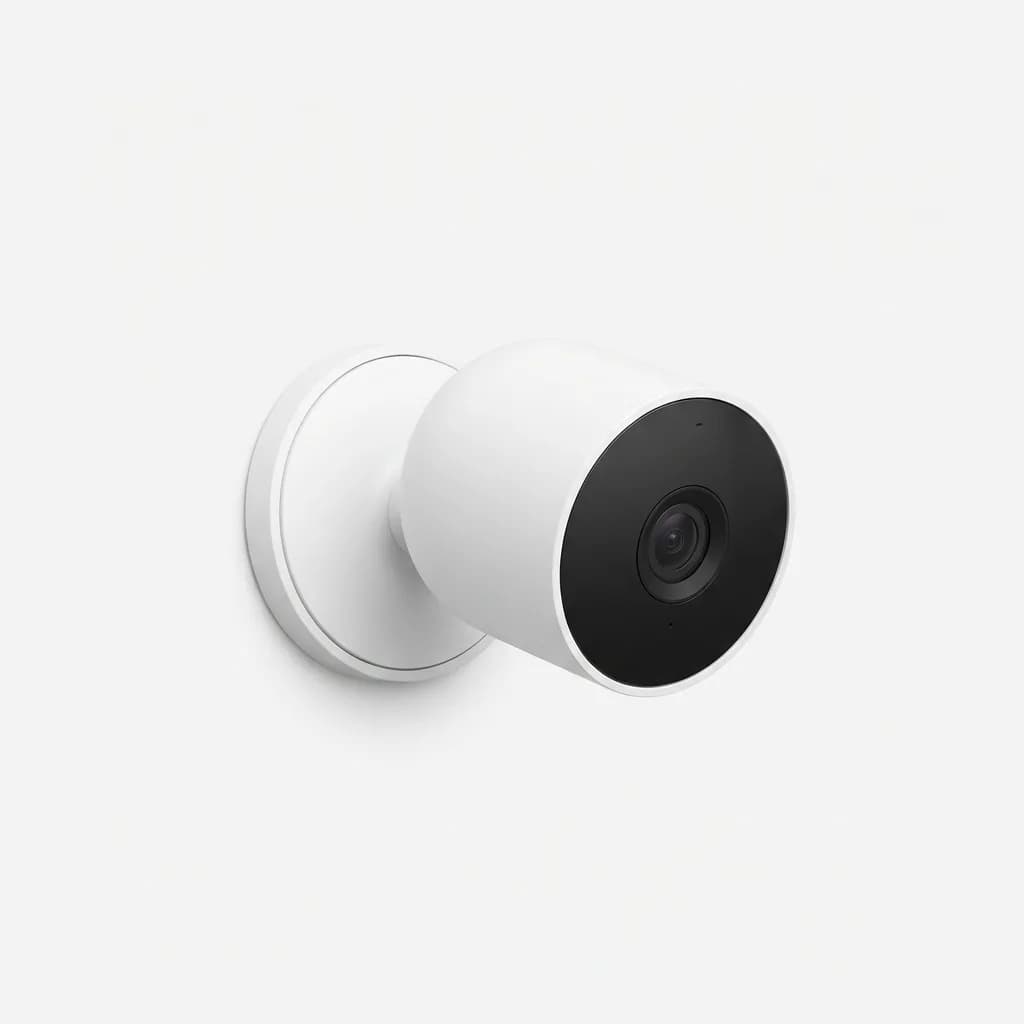
Google Nest Cam (Battery)
$180
Wireless 1080p camera with on-device AI, 3-hour event history, weather-resistant design, and magnetic mount. Works with Google Home ecosystem.
The interface is where this camera wins. Instead of just "person detected," it shows a thumbnail preview with the alert, so you can assess the situation without opening the app. Event history stores three hours of clips for free, which covers most real-world scenarios. The subscription adds 24/7 recording and familiar face detection, but the free tier is genuinely useful.
Battery life averages 4-6 weeks depending on activity, and the magnetic mount makes positioning dead simple. Weather resistance is IP54, adequate for covered outdoor use but not direct rain exposure. Video quality is crisp 1080p with HDR, though not quite as detailed as 2K competitors.
Arlo Pro 5S 2K - Best for Large Properties
If you need to monitor areas beyond 30 feet, Arlo's Pro 5S delivers. The 2K sensor provides enough resolution for person detection at distances where 1080p cameras give up. We consistently got accurate person alerts at 35-40 feet, roughly double the effective range of the Nest Cam.
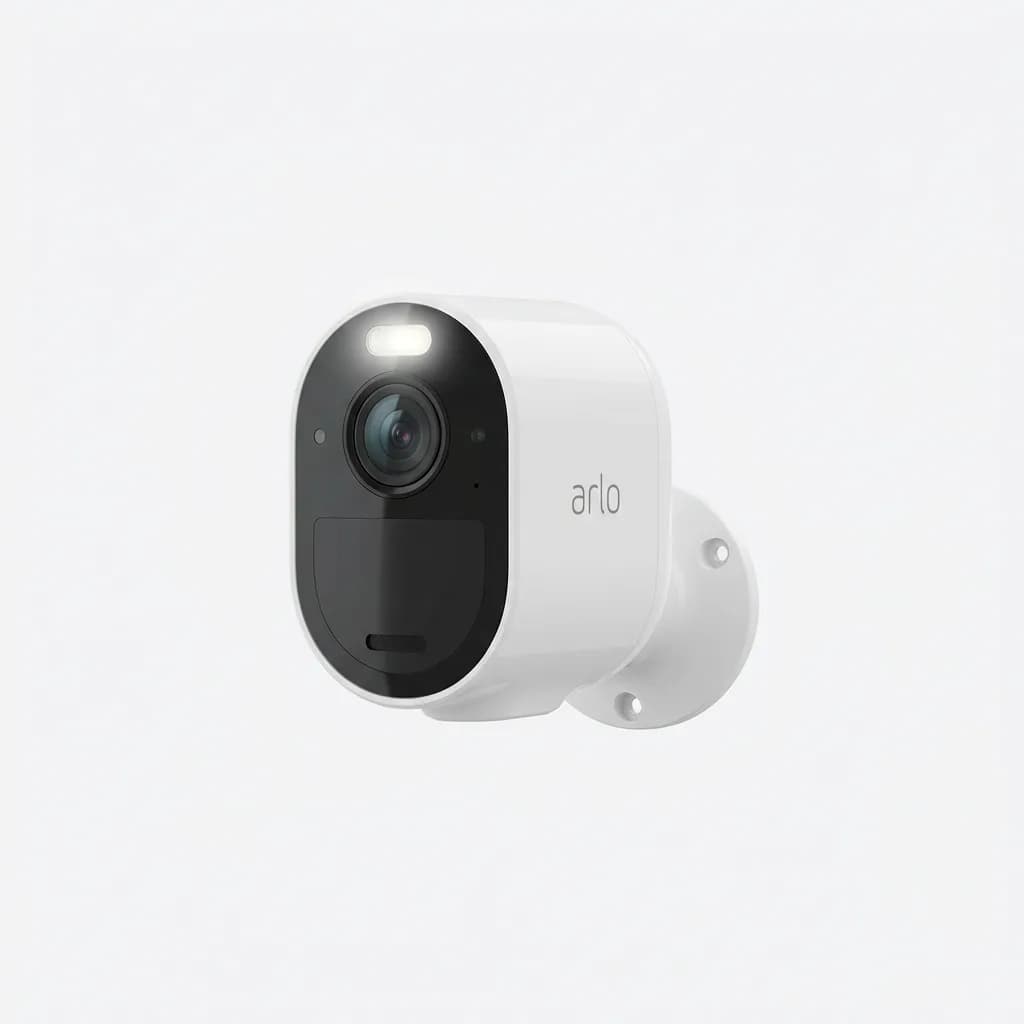
Arlo Pro 5S 2K Spotlight Camera
$250
2K resolution with 160-degree field of view, color night vision, integrated spotlight, and dual-band Wi-Fi. Weatherproof with 6-month battery life.
The 160-degree field of view is genuinely wide without the fisheye distortion that plagues cheaper cameras. Color night vision using the built-in spotlight is a luxury once you're used to it, traditional IR looks primitive in comparison. Battery life is impressive at 4-6 months, though that assumes moderate activity levels.
The downside is cost. Arlo's subscription is nearly mandatory because the free plan only stores seven days of cloud recordings with no local storage option. Person detection works on the free tier, but you'll want the $5/month plan for useful retention. Total cost over three years is roughly double the Nest Cam when you factor in subscriptions.
Ring Stick Up Cam Pro - Best Value with Radar
Ring's Pro model adds radar-based motion detection alongside AI person recognition, creating a two-stage system that eliminates nearly all false alerts. The radar detects motion first, then the AI analyzes the video to confirm if it's a person. This combo cuts false alerts while using less battery than cameras relying solely on video analysis.
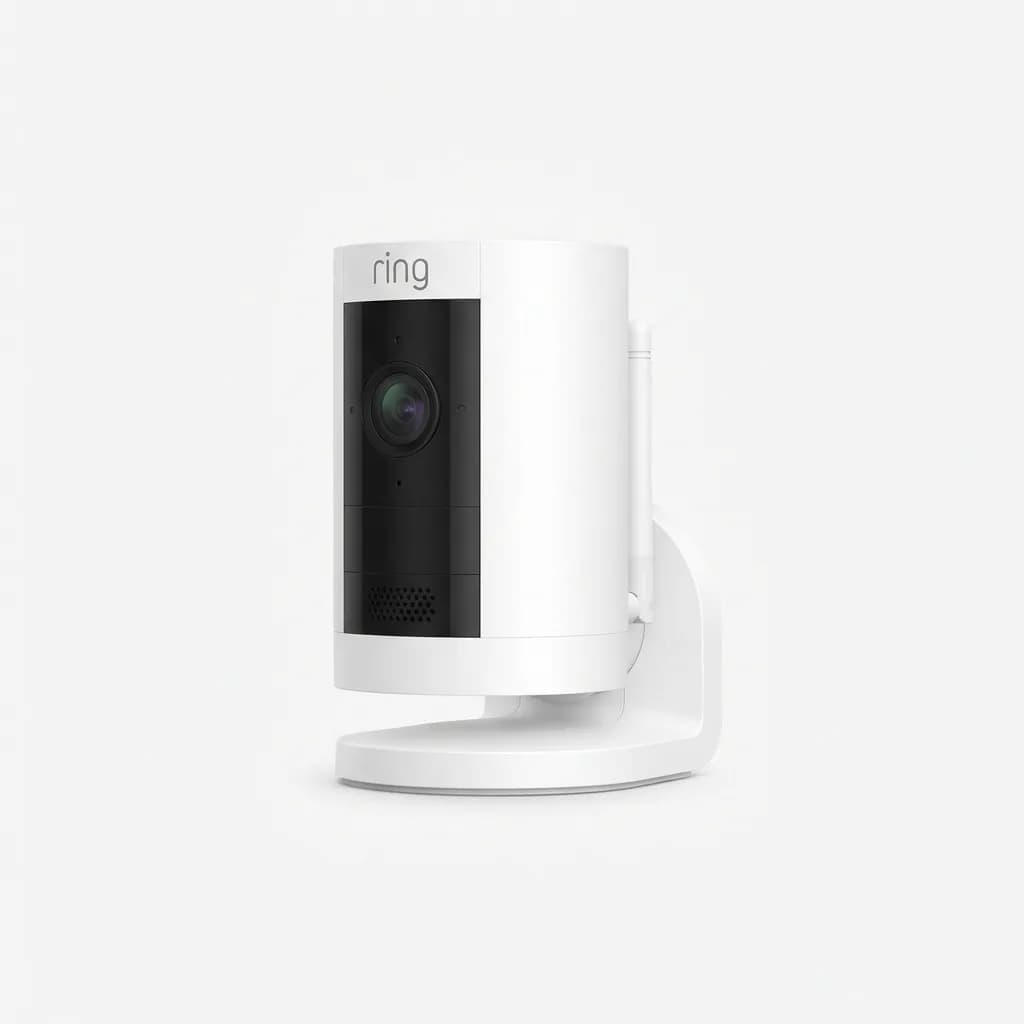
Ring Stick Up Cam Pro (Battery)
$180
1080p HDR camera with dual-band radar, 3D motion detection, two-way audio, and Ring ecosystem integration. Indoor/outdoor rated with modular power options.
The radar enables 3D motion detection, which means you can set specific zones not just by area but by distance. Want alerts only for people who come within 15 feet? Easy. This level of control is unmatched. Battery life is 3-4 months, and you can swap to solar or wired power without moving the camera.
Ring's ecosystem is polarizing. If you already use Ring products, this integrates perfectly. If you don't, you're locked into Amazon's ecosystem with limited third-party integration. The subscription (Ring Protect, $4/month) is cheaper than Arlo's but still required for useful cloud storage.
Eufy SoloCam S340 - Best Without Subscriptions
Eufy's dual-camera design pairs a wide-angle lens for monitoring with a telephoto lens for AI tracking. When person detection triggers, the telephoto lens automatically zooms to follow the subject, providing unusually detailed footage. All processing happens on-device with local storage, no subscription required ever. For spots without Wi-Fi or power, see our best solar-powered security cameras that need no Wi-Fi.
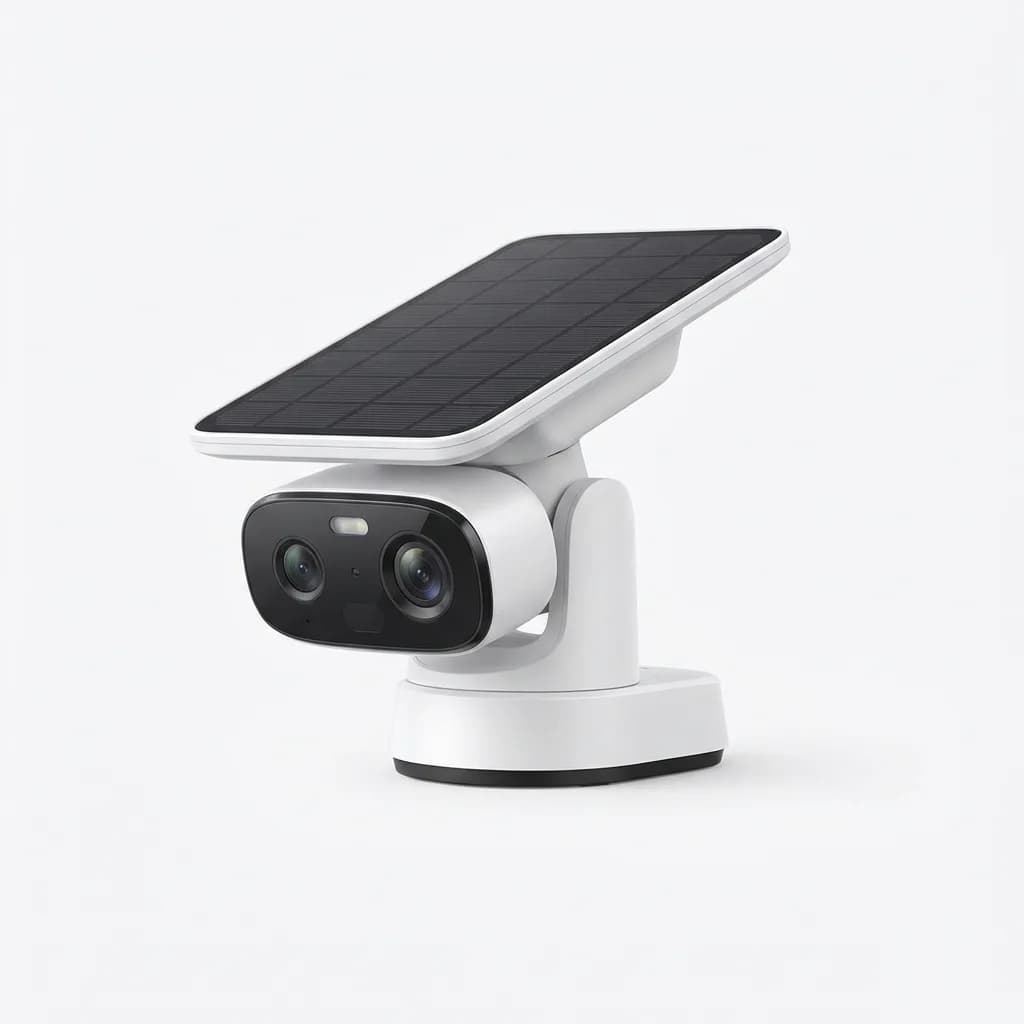
Eufy SoloCam S340 Wireless Outdoor Camera
$200
Dual 3K and 2K cameras with AI tracking, 8GB local storage, solar panel, 360-degree pan coverage, and lifetime free storage. No monthly fees.
The 8GB onboard storage holds roughly two weeks of events, accessible through the app. The included solar panel keeps the battery topped off in most climates, eliminating charging maintenance. Person detection accuracy is 94-95%, slightly behind Google and Ring but still excellent for a subscription-free model.
The tracking feature is hit or miss. It works great for someone walking a predictable path but struggles when multiple people are present or movement is erratic. Video quality from the primary wide lens is sharp 3K, while the telephoto is 2K. Night vision is IR-based, so no color, but quality is good.
Reolink Argus 4 Pro - Best for Budget-Conscious Buyers
Reolink delivers 4K resolution and solid person detection for $140, half the cost of premium competitors. The higher resolution compensates for a less sophisticated AI model, you get enough detail to clearly identify people even when accuracy isn't perfect. This is the camera to buy if you value image quality over cutting-edge AI.
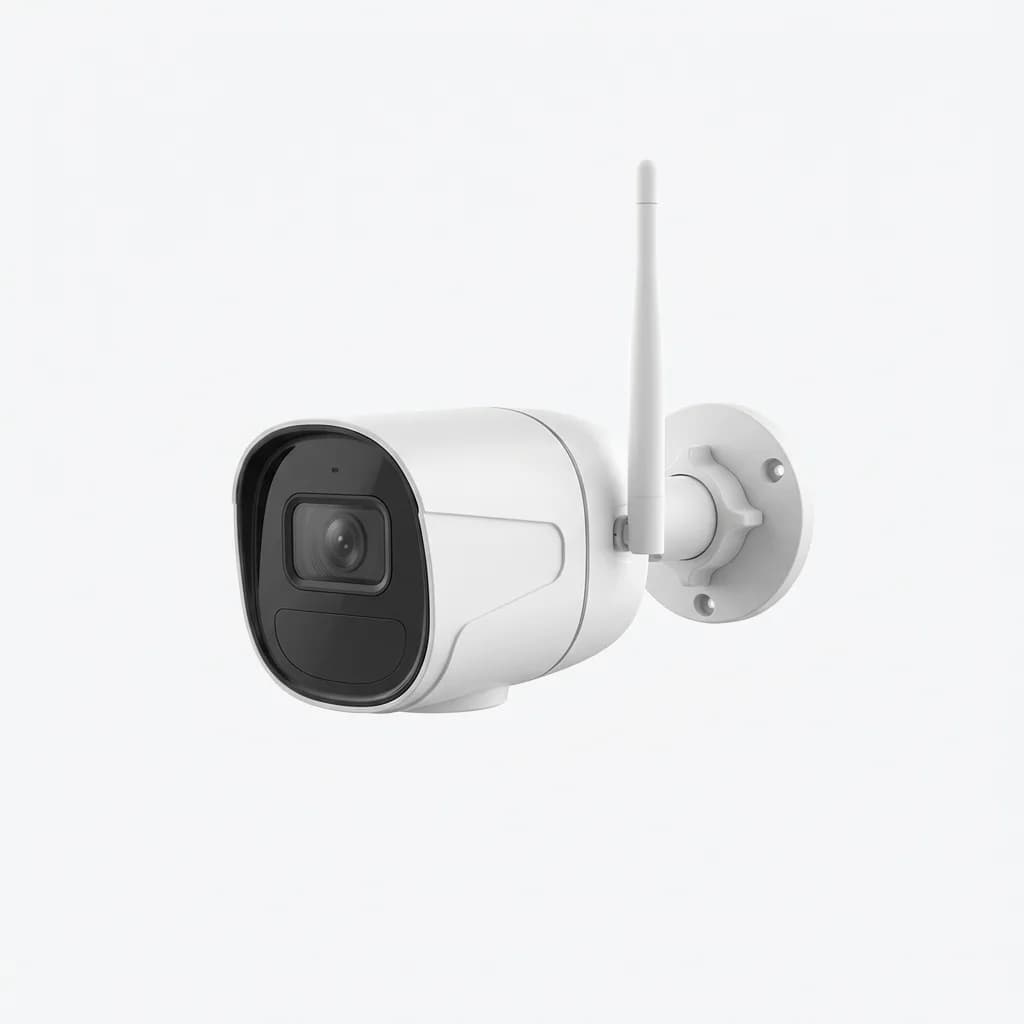
Reolink Argus 4 Pro 4K Camera
$140
4K UHD resolution with color night vision, dual-band Wi-Fi, local and cloud storage options, IP66 weatherproof rating, and rechargeable battery.
Expect a few more false alerts than premium models, but still dramatically better than basic motion detection. The camera supports both cloud storage (optional subscription) and local microSD cards up to 128GB, giving you flexibility other brands don't offer.
Battery life is shorter at 2-3 months due to the power demands of 4K recording. The color night vision requires decent ambient light to work, it defaults to IR in complete darkness. Build quality feels solid with an IP66 rating that handles direct rain exposure without issues.
Why Accuracy Ratings Are Misleading
Manufacturers claim 95%+ accuracy, but these numbers come from ideal test conditions. Real-world performance depends on placement, lighting, and your specific environment. The same camera can be far more accurate aimed at a well-lit sidewalk than pointed at a yard with moving shadows and bushes.
The false positive/negative tradeoff is rarely discussed. Cameras tuned for fewer false positives (wrongly identifying non-humans as people) tend to have more false negatives (missing actual humans). Google and Ring lean toward fewer false positives, meaning you might miss an occasional person but won't get spammed with leaf alerts. Eufy and Reolink skew the other direction, catching nearly every human but generating more animal alerts.
Your environment matters more than specs. Dense landscaping, frequent shadows, and high traffic areas all increase false alerts regardless of AI sophistication. The best camera for a suburban home with clear sight lines might perform poorly in an urban setting with constant pedestrian traffic, not because person detection fails but because you don't want 200 alerts per day about random passersby.
Activity Zones Make or Break Usability
Every camera here supports activity zones, but implementation varies wildly. Ring's 3D zones using radar data are the most precise. Google's interface for drawing zones is the most intuitive. Arlo provides the most zones (up to 5 per camera). Eufy and Reolink have clunkier interfaces that take more trial and error.
Spending 15 minutes properly configuring zones eliminates 80% of false alerts. The common mistake is making zones too large. Tight zones focused on entry points (doors, gates, walkways) work better than broad coverage. If you want to monitor your entire yard, use wide zones but disable person detection alerts and just review footage manually.
Multiple overlapping zones let you prioritize different areas. Set a high-priority zone for your front door with instant alerts, and a low-priority zone for your driveway that only records without alerting. This two-tier approach gives you comprehensive coverage without notification overload.
Cloud vs. Local Processing Changes Everything
On-device AI (Google, Ring Pro, Eufy) delivers alerts in 1-2 seconds. Cloud-based processing (budget Ring models, older Arlo cams) takes 3-5 seconds as footage uploads, processes, and sends results back. That lag means someone can approach, ring your doorbell, and leave before you get the person detection alert.
Local processing also works during internet outages. Google and Eufy cameras continue detecting people and storing footage locally when Wi-Fi drops. Cloud-dependent cameras become useless motion sensors without connectivity. If your internet is unreliable, on-device AI is non-negotiable.
The privacy angle matters to some buyers. On-device processing means your video doesn't leave your property until you view it remotely. Cloud processing uploads every motion event for analysis, even ones that end up discarded. No major brand has had a significant privacy breach, but the architectural difference is real.
What About Facial Recognition?
Google Nest offers familiar face detection with a subscription, the only mainstream camera to do so after Amazon disabled the feature on Ring devices. It works well for distinguishing family members from strangers but requires several days of training data and good lighting.
The practical value is limited. Knowing a person is at your door is usually sufficient, whether it's your spouse or a delivery driver, you still check the camera. Facial recognition is more useful for filtering notifications in post-event searches than for real-time alerts.
Privacy regulations are tightening around facial recognition. Several jurisdictions restrict or ban consumer use, and cloud-stored facial data creates legal liability if breached. If this feature matters to you, verify it's legal in your area and understand you're opting into biometric data collection.
Do You Actually Need AI Person Detection?
If your camera monitors a high-traffic area (street-facing, shared driveway, apartment entrance), person detection is essential. Without it, you'll get hundreds of daily alerts and stop checking within a week. For low-traffic private areas, basic motion detection might suffice.
Pet owners benefit enormously. Cameras without person detection can't distinguish your dog from an intruder, leading to constant false alerts. Person detection largely solves this, though large dogs occasionally trigger alerts if the AI confuses them with humans at a distance.
The feature adds $40-80 to camera cost versus non-AI models. That premium is worth it if you'll actually use the camera. If it's for a low-priority area you'll rarely monitor, save the money. The best security camera is the one you'll pay attention to when it alerts, and AI person detection is what makes that possible.
Choosing Based on Your Ecosystem
Existing smart home investment should heavily influence your choice. If you use Google Home, the Nest Cam integrates seamlessly with voice commands and hub displays. Ring is the obvious pick for Alexa users. HomeKit supporters should look at Aqara or Logitech models (not reviewed here but worth considering).
Cross-platform buyers have more flexibility but lose ecosystem benefits. Eufy and Reolink work with most platforms through RTSP streams and basic integrations, but you won't get the polished experience of native ecosystem cameras. If you're platform-agnostic, choose based on camera features rather than ecosystem fit.
Setup Realities Nobody Mentions
Wireless cameras sound convenient, but mounting locations are limited by Wi-Fi range and line-of-sight to your router. The Ring Pro and Arlo Pro 5S with dual-band Wi-Fi handle this best, connecting reliably at distances that drop other cameras to unusable framerates.
Charging battery cameras is more annoying than you expect. If the mount is 10 feet up, you'll need a ladder every 6-12 weeks. Solar panels help but don't eliminate charging in northern winters with limited sunlight. Wired cameras require professional installation for outdoor locations but never need maintenance.
Initial AI training takes 2-3 days. The camera needs to learn what normal looks like in your environment before person detection accuracy peaks. Don't judge performance in the first 48 hours, the system is still calibrating.
The Verdict for Different Situations
For most buyers, the Google Nest Cam Battery offers the best combination of accuracy, ease of use, and reasonable ongoing costs. The free tier is genuinely functional, and the ecosystem integration is excellent if you're already using Google products.
Large properties or anyone needing detection beyond 25 feet should spend extra for the Arlo Pro 5S. The 2K sensor and long-range performance justify the higher total cost when you need that capability. Smaller yards don't benefit from the added range.
Subscription-averse buyers get the most value from Eufy's SoloCam S340. The dual-camera tracking is clever, and lifetime free storage eliminates ongoing costs. Accuracy is slightly lower, but the gap isn't large enough to matter for most uses.
Budget buyers who want maximum image quality should grab the Reolink Argus 4 Pro. False alerts are slightly more common, but 4K footage captures details competitors miss. If you'd rather review clearer footage less often than get perfectly filtered alerts of lower-quality video, this is your camera.
The Ring Pro makes sense primarily for existing Ring users or anyone who values the radar-based motion detection precision. It's excellent hardware locked to a somewhat limiting ecosystem, great if you're already committed to Ring or Alexa, frustrating if you're not.
The Weekly Dispatch
Enjoying this article?
Subscribe and get our best gear picks delivered every Sunday morning.
Related Posts
Best Solar Powered Security Camera No WiFi Needed
Solar security cameras with cellular connectivity eliminate WiFi dependence. We break down the best options for off-grid properties and remote locations.
Best Matter Compatible Smart Home Devices 2026
Matter protocol finally delivers on the promise of universal smart home compatibility. Here's what actually works and what's worth buying in 2026.
Smart Locks for Renters: Best No-Drill Options
Installing a smart lock when you rent means finding options that don't require drilling, leave no damage, and come off cleanly when you move out.

Google Nest Doorbell with Gemini AI Review 2026
Google's Nest Doorbell gets a major AI upgrade with Gemini. We break down its intelligence features, package detection and real-time alerts.